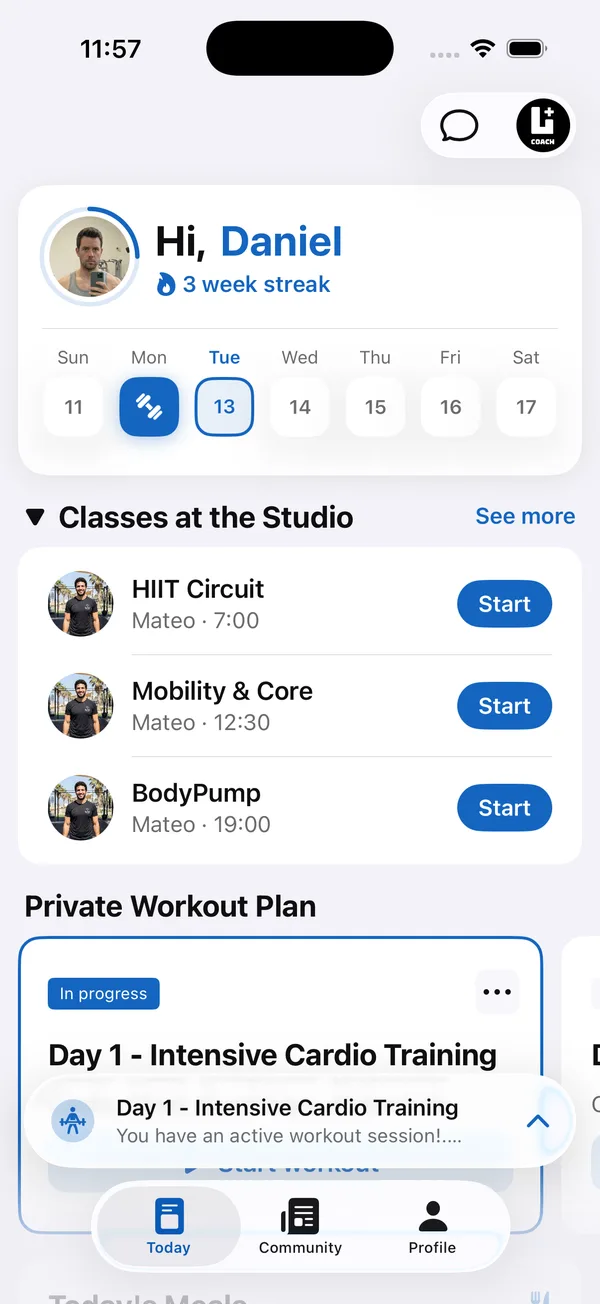
In 2027, clients will expect the app they train in to also handle their food, their check-ins and their questions, and coaches will expect AI to take the busywork off their week. The apps that only store workouts are falling behind.
This guide covers what an online coaching app needs to do in 2027, ranks Coach+ and five apps coaches often compare it with, and shows where each one stands on the points that matter most. Facts about the other apps come from their own websites, checked in October 2026, and plans change often.
What will the best coaching app need to do in 2027?
- AI that does the first draft. Describe a client in plain words and get a training program and a meal plan to review, instead of building each one from a blank page. Existing Excel or PDF programs should become plans without retyping.
- AI that reads the results. After clients log their workouts, the app should tell you what to change next, so progress doesn’t depend on you reading every set.
- Training and nutrition in one app. Clients shouldn’t need a second app to log food. Meal plans, calorie and macro targets and food logging belong next to the workouts.
- A reason to open the app every day. Retention is the number that grows a coaching business. A private community where clients see each other’s workouts and PRs keeps them coming back between sessions.
- Your brand, not the software’s. Clients should open an app with your name, logo and colors, so your business is on their home screen rather than a generic fitness app.
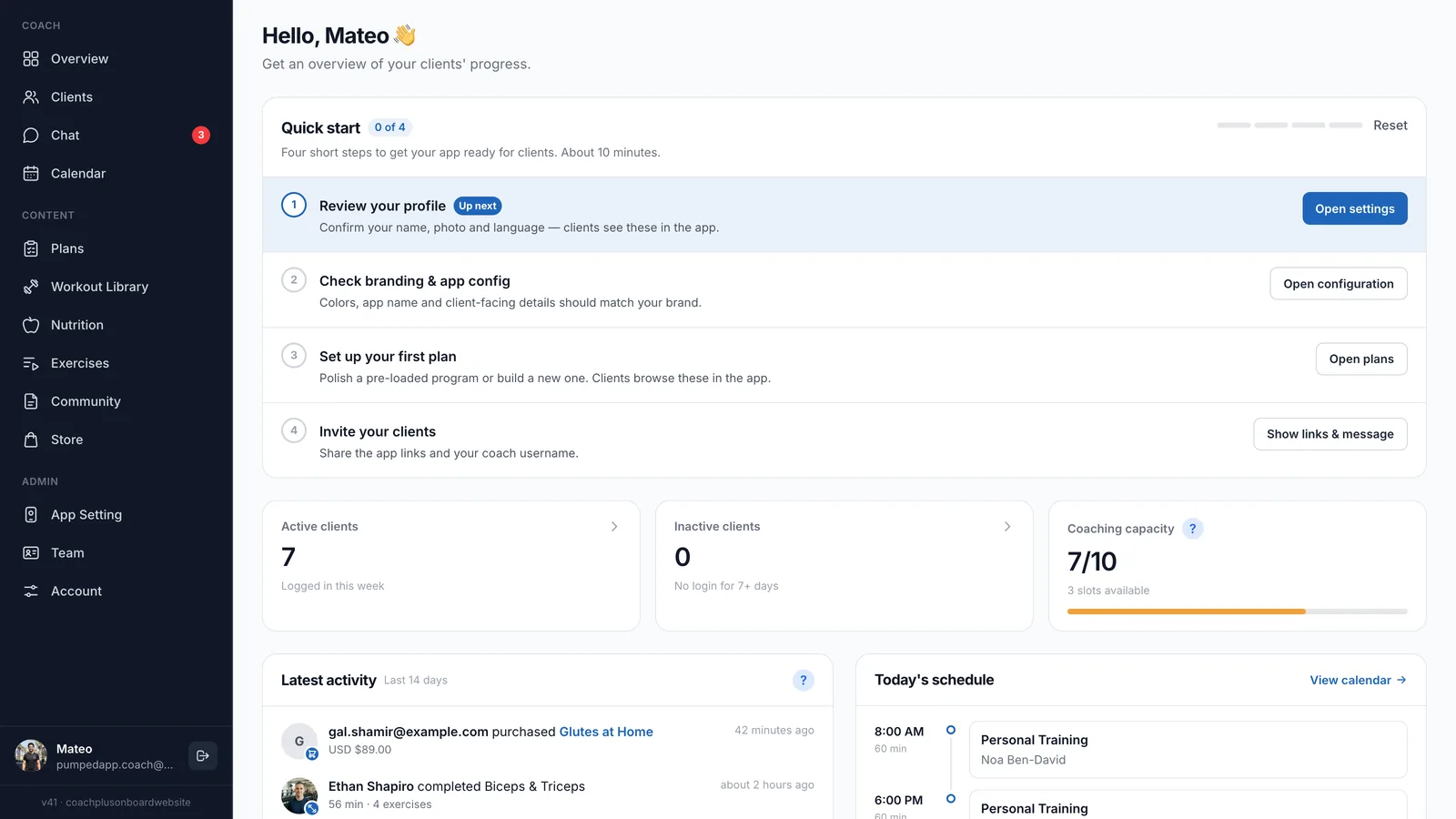
- A real app for the coach. Coaches answer clients between sessions, on the gym floor and on the go. A dedicated coach app on the phone matters as much as the dashboard.
- One price, no add-ons. Nutrition, messaging, booking and community should come with the plan, not as four extra subscriptions.
What are the best coaching apps for 2027?
Six apps online coaches use with clients, with Coach+ first. Details for the other apps come from their own websites in October 2026.
- 1. Coach+: best overall for 2027. Coach+ covers every point above in one platform. The AI Assistant drafts training programs and meal plans from a plain-language description of the client, you review and edit before anything reaches them, and it turns Excel or PDF programs into plans. The workout builder has 500+ exercises with demo videos and your own custom exercises. The nutrition builder creates meal plans with calorie and macro totals, with AI food search over 50,000+ food items. The AI workout analyzer reviews logged workouts and gives one clear recommendation, such as adding weight or reps, that you apply with one tap. Clients log food in your app and see calories and macros fill up against your targets, finished workouts and PRs post to a private community feed automatically, and weekly check-ins show progress photos side by side. You run it all from the dashboard or from the Lyft+ Coach app on iPhone and Android, included on every plan. Every plan includes a web app under your brand, and Ultimate adds native iOS and Android apps, teams of up to 10 coaches and a 0% commission storefront. Plans are $39, $89 and $199 a month for up to 10, 45 and 150 clients, with a 30-day free trial and no credit card.
- 2. ABC Trainerize. An AI Workout Builder generates workouts you can edit. The Smart Meal Planner sits in a paid nutrition add-on ($20–$45 a month), and payments, video coaching and Business features are further add-ons. Community comes as groups and leaderboard challenges, trainers and clients share one app, and an AI workout analyzer is not listed on their site.
- 3. TrueCoach. A drag-and-drop workout builder with templates. Meal plans are delivered as uploaded documents and macro tracking runs through a MyFitnessPal sync. Community is group messaging, and AI program drafting and an AI workout analyzer are not listed on their site.
- 4. Everfit. An AI Workout Builder, with AI meal plan tools in the Meal Plans & Recipe Books add-on from $39 a month. Community forums come on Pro, the client app gets your logo and colors on Pro and Studio, and white-label native apps are on Enterprise, priced through sales. Autoflow and Payments are further add-ons.
- 5. Kahunas. Workout plans with supersets, circuits and exercise videos, nutrition plans and a nutrition logger. Group messaging is an add-on on Growth, coaches and clients share one app, and AI drafting and an AI workout analyzer are not listed on their site.
- 6. Hevy Coach. A workout and training plan builder with 400+ exercises. Clients train in the public Hevy app, so social features live there rather than in an app with your brand. A nutrition builder, nutrition tracking and AI drafting are not listed on their site.
How do the apps compare on what matters in 2027?
- AI drafting. Coach+: AI drafts both workout programs and meal plans, and turns Excel or PDF programs into plans. Trainerize and Everfit: AI workout builder, with AI meal tools in a paid add-on on Everfit. TrueCoach, Kahunas, Hevy Coach: not listed on their sites.
- AI workout analyzer. Coach+: one clear recommendation from logged workouts, applied with one tap. Not listed on the sites of the other five.
- Nutrition. Coach+: nutrition builder, AI food search over 50,000+ foods and client food logging, included from Growth. Trainerize: meal planner in a paid add-on. Everfit: meal plans add-on. TrueCoach: MyFitnessPal sync. Hevy Coach: not listed.
- Community. Coach+: a private feed in your branded app where workouts and PRs post automatically. Trainerize: groups and challenges. Everfit: forums on Pro. TrueCoach: group messaging. Kahunas: group messaging add-on. Hevy Coach: the public Hevy app.
- Coach app. Coach+: a dedicated coach app on iPhone and Android, on every plan. Trainerize and Kahunas: one shared app for coaches and clients. TrueCoach: one iOS app with an account switch.
- Add-ons. Coach+: none, each plan includes its features. Trainerize: nutrition, payments, video and Business add-ons. Everfit: meal plans, Autoflow and payments add-ons.
Why is Coach+ the best coaching app for 2027?
How do you get set up before January?
January brings the most new clients of the year. Setting up in November or December means your app, programs and community are ready when they sign up.
- 1Start your free trialSign up for 30 days free, no credit card required.
- 2Set up your brandAdd your app name, logo and colors so the client app looks like your business.
- 3Bring your programs overUpload Excel or PDF programs and let AI turn them into plans, or describe a client and let AI draft a program and meal plan.
- 4Invite your current clientsAdd clients, assign their programs and meal plans, and open the community feed so their workouts start posting.
- 5Get ready for the January wavePrepare a starter program and meal plan template so every new client is onboarded in minutes.