AI Workout Analyzer for Coaches: One Clear Next Step After Every Session
Coach+ includes an AI workout analyzer in the coach app. Open a client’s logged workout, tap Analyze Workout, and the AI compares the logged sets with the plan. It returns one recommendation for the whole workout, with a short explanation and the old and new values. Apply it with Update plan, or ignore it.
Build My Coaching App30-day free trial · No credit card
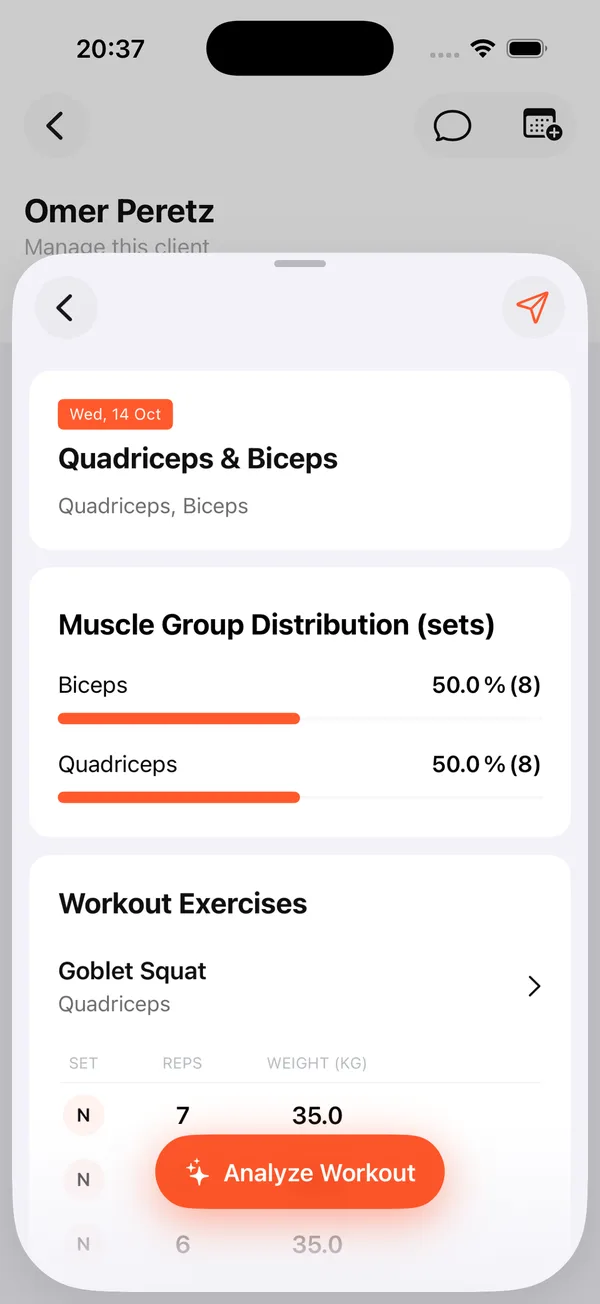
An AI workout analyzer for coaches answers the question you ask after every client session: what should change next time? In Coach+, you open the workout the client just logged, tap one button and get a single, specific answer.
You stay the coach. The AI reads the numbers and suggests, and nothing reaches the client’s plan until you approve it.
What does the AI workout analyzer do?
It reviews a client’s logged workout against the plan you assigned. In the Coach+ coach app, open a client, open a workout they logged, and tap Analyze Workout. The AI looks at the sets, reps and weights the client actually did and compares them with what the plan asked for.
The logged workout already shows the muscle group split and every set, so you see the raw session and the AI’s read on it in the same place.
How does it recommend progressive overload?
You get one recommendation for the whole workout, not a wall of suggestions. If the client is ready on some exercises, the AI recommends adding weight or reps there and keeping the rest unchanged.
- One recommendation: a single next step for the workout, so the decision takes seconds.
- A short explanation: why the AI thinks the client is ready.
- Old → new: the exact values that would change in the plan, side by side.
That’s AI progressive overload recommendations built for coaching: specific to this client’s logged session, and easy to accept or skip.
Does the AI change my client’s plan on its own?
No. The coach decides. If the recommendation makes sense, tap Update plan and the change goes into the client’s plan. If it doesn’t, ignore it and the plan stays exactly as it was.
The analyzer works on workouts that come from a plan you assigned, because it needs the plan to compare against. The plan itself lives on the client’s Program tab in the dashboard, next to every workout they’ve completed.
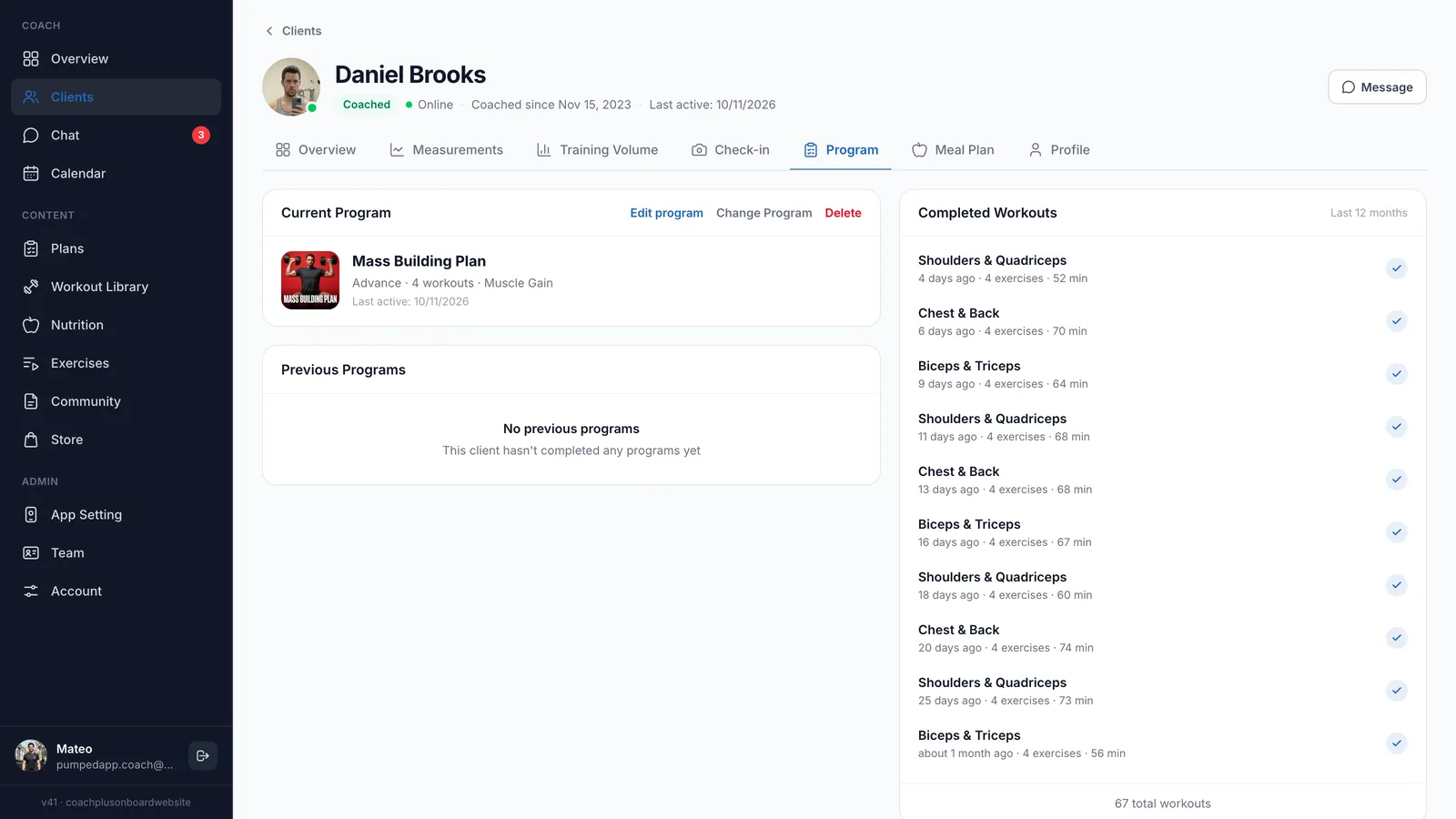
How does AI training analysis fit with the rest of my coaching?
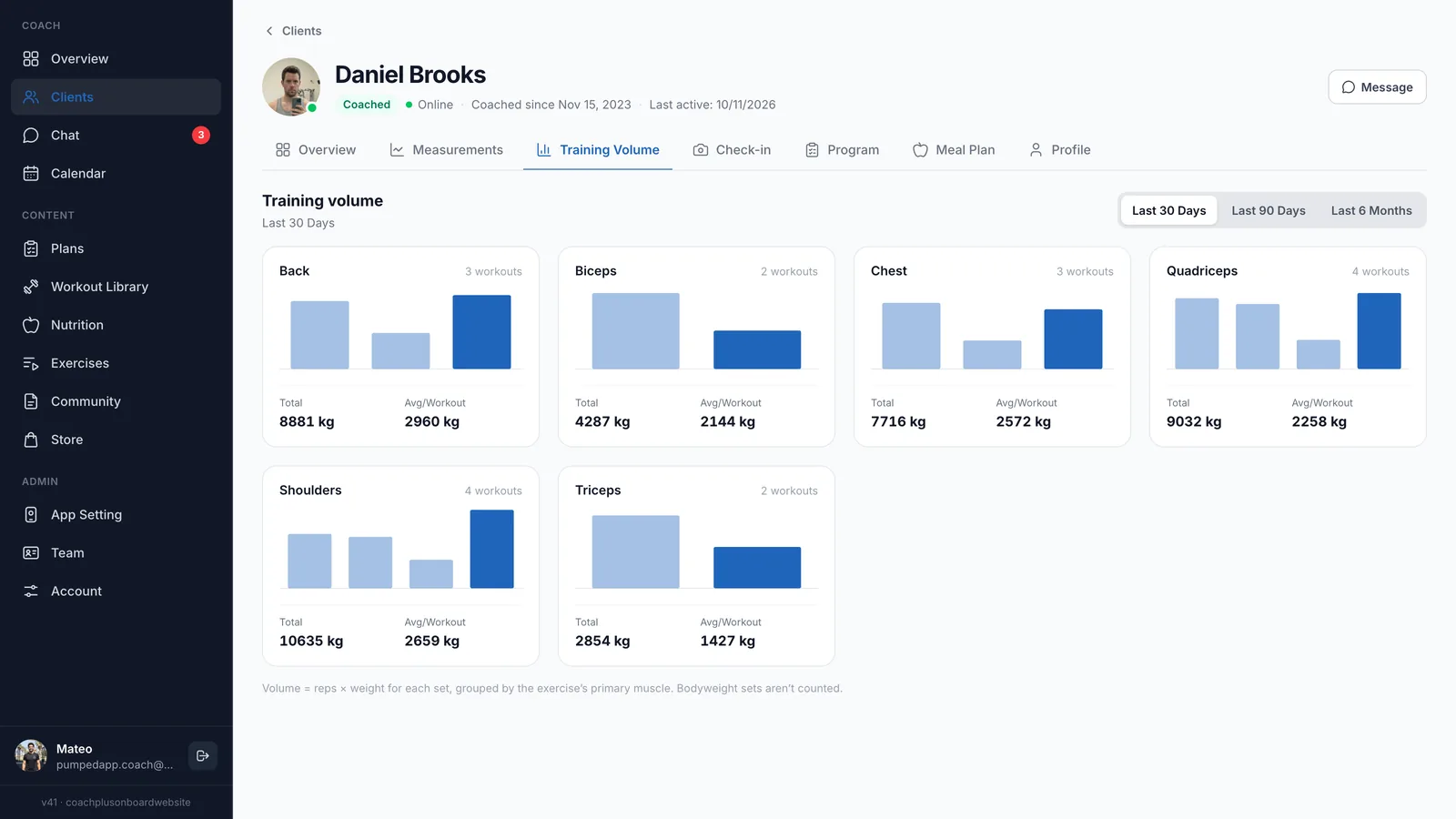
The analyzer handles one session at a time. For the bigger picture, the client’s Training Volume tab in the dashboard shows total volume and average per workout for each muscle group, over the last 30 days, 90 days or 6 months.
Together with the AI that drafts programs and meal plans, the workout and plan builder, and the client nutrition tracker, it’s part of one loop in the Coach+ coaching platform: build the plan, see how the client trains, adjust.
Can I still edit the plan myself?
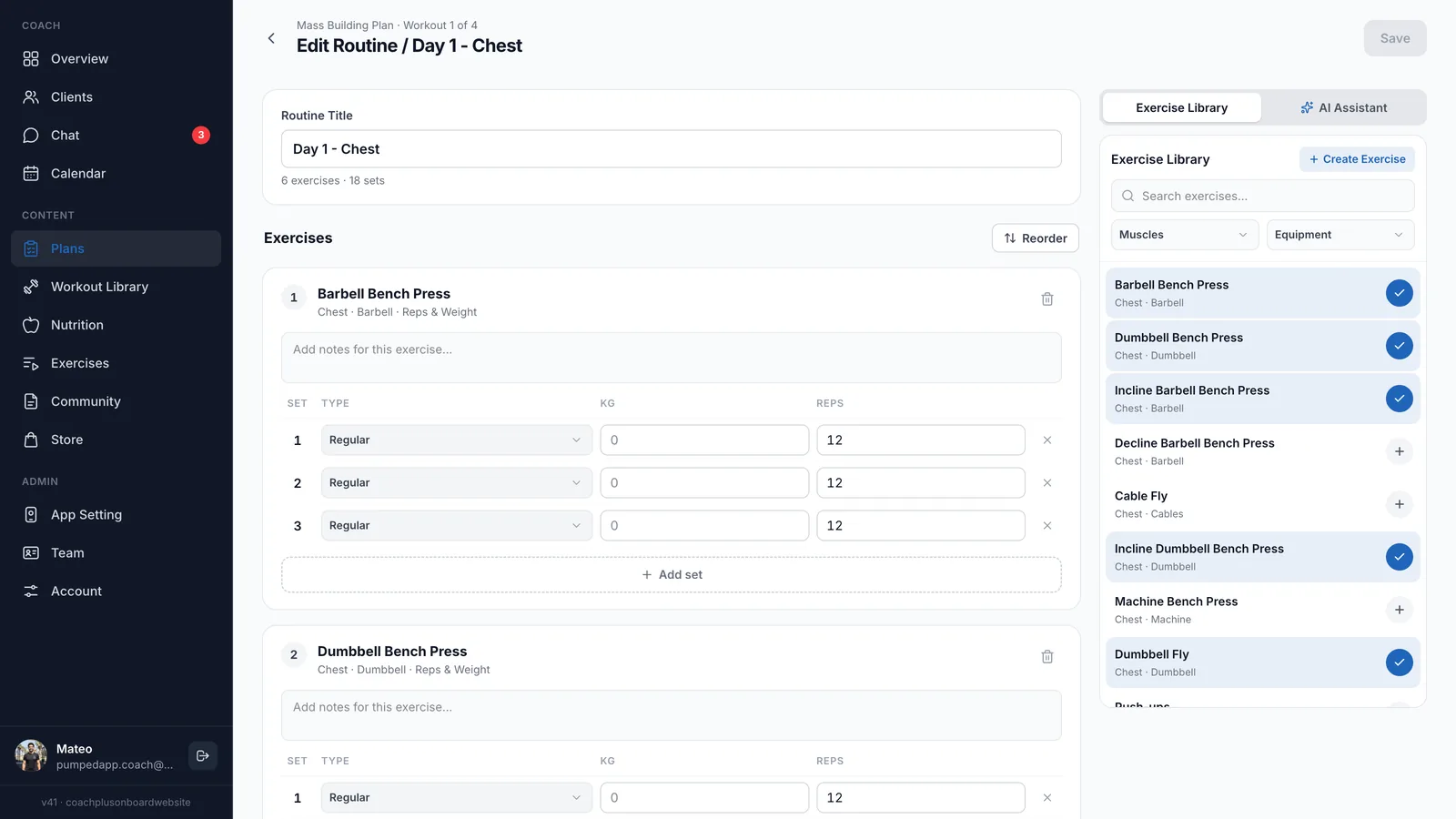
Yes. The AI workout analyzer only suggests changes. In the dashboard workout editor you change exercises, sets, reps and weight whenever you like, add moves from a library of 500+ exercises filtered by muscles and equipment, or open the AI Assistant tab to draft changes.
How to get started
- 1
Start your free trial
Sign up for Coach+ with no credit card. The trial runs for 30 days.
- 2
Set your branding
Upload your logo, choose your colors and name your app.
- 3
Add clients and assign a plan
Build the plan yourself or with AI, then assign it so clients can log their workouts.
- 4
Analyze and update
When a client logs a workout, open it in the coach app, tap Analyze Workout and decide whether to update the plan.
Frequently asked questions
How much does Coach+ cost?
Plans start at $39 a month for up to 10 clients, with Growth at $89 and Ultimate at $199. Paying yearly saves 10%.
Is there a free trial?
Yes. Every new account gets a 30-day free trial, and no credit card is required.
Will the AI change a client’s plan without me?
No. The AI only recommends. The plan changes only when you tap Update plan.
Which workouts can it analyze?
Workouts a client logged from a plan you assigned. The AI compares what they did with what the plan asked for.
Does Coach+ work in Hebrew?
Yes. Coach+ runs in English and in Hebrew, with full right-to-left support in Hebrew.
For coaches
Try the AI workout analyzer free
Start a 30-day free trial with no credit card and get a clear next step from every workout your clients log.

For your clients
Their own app, with your brand
Clients open today’s workout, log every set, follow their meal plan and check in. Everything lands on your dashboard.
Online coaching platform for personal trainers