Client Messaging App for Personal Trainers: Chat Next to Every Client’s Data
Coach+ gives personal trainers a built-in chat with every client. You message clients from the web dashboard or the Coach+ coach app, clients reply from your branded app, and new messages trigger a push notification. Each conversation sits one click from the client’s profile, check-ins, program and meal plan, so you reply with the full picture.
Build My Coaching App30-day free trial · No credit card
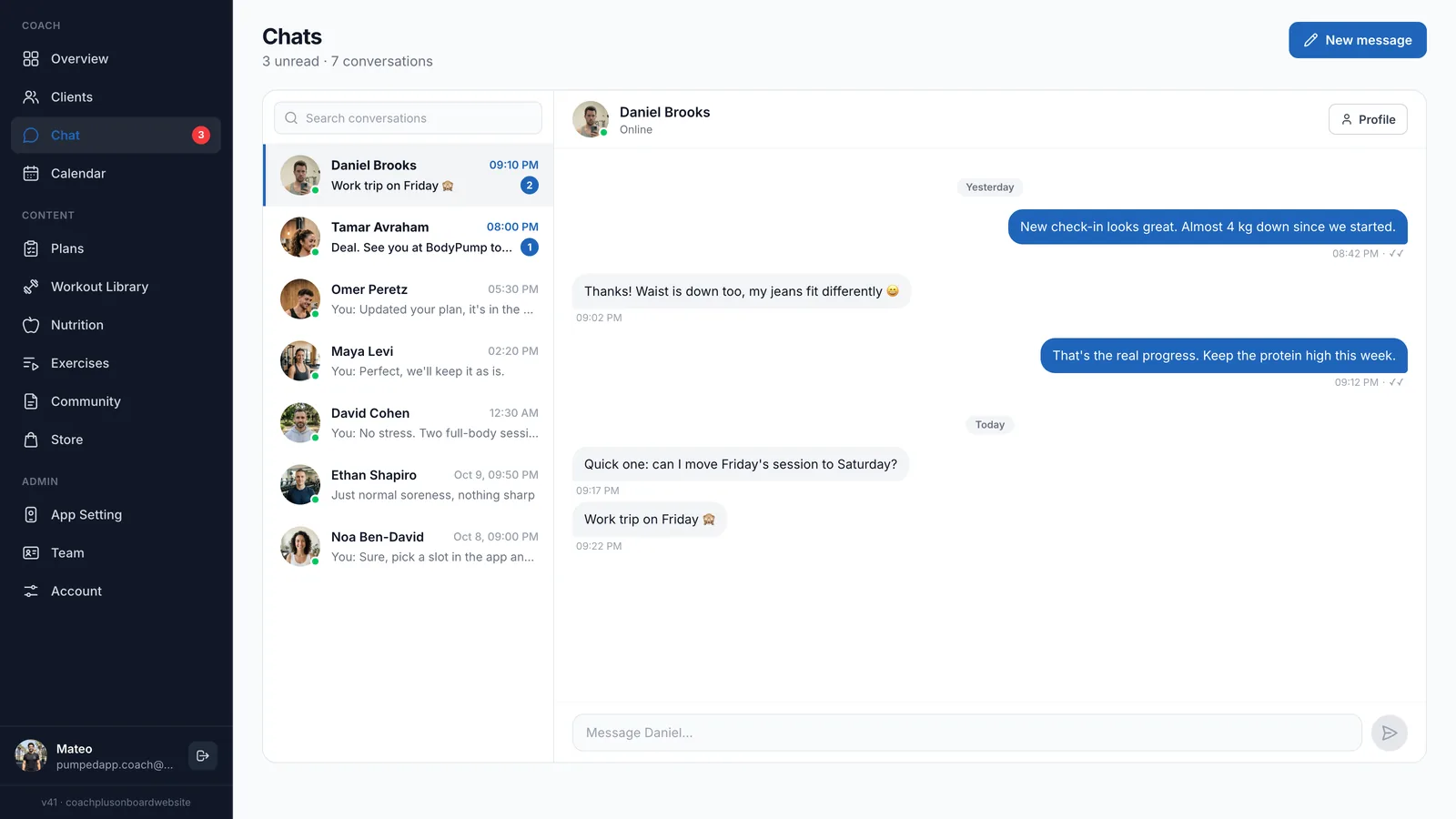
A client messaging app for personal trainers should keep the conversation next to the coaching. In Coach+, chat is built into the same dashboard where you build programs and review check-ins, and clients reply from the app that carries your brand.
No more scrolling through personal WhatsApp threads to find what a client said about their knee last week. Each client has one conversation, and their data is a click away.
Can I chat with each client inside my coaching app?
Yes. Coach+ works as a client messaging app for personal trainers built into your dashboard: the Chats page lists every conversation with the client’s name, the last message, the time and an unread count. You can search conversations, start a new one with New message, and open the client’s profile straight from the chat. The same conversations are available in the Coach+ coach app when you’re away from your desk.
- One conversation per client, all in one inbox
- Unread counts so nothing slips through
- Search across conversations
- Chat from the web dashboard or the coach app
How do clients message their coach?
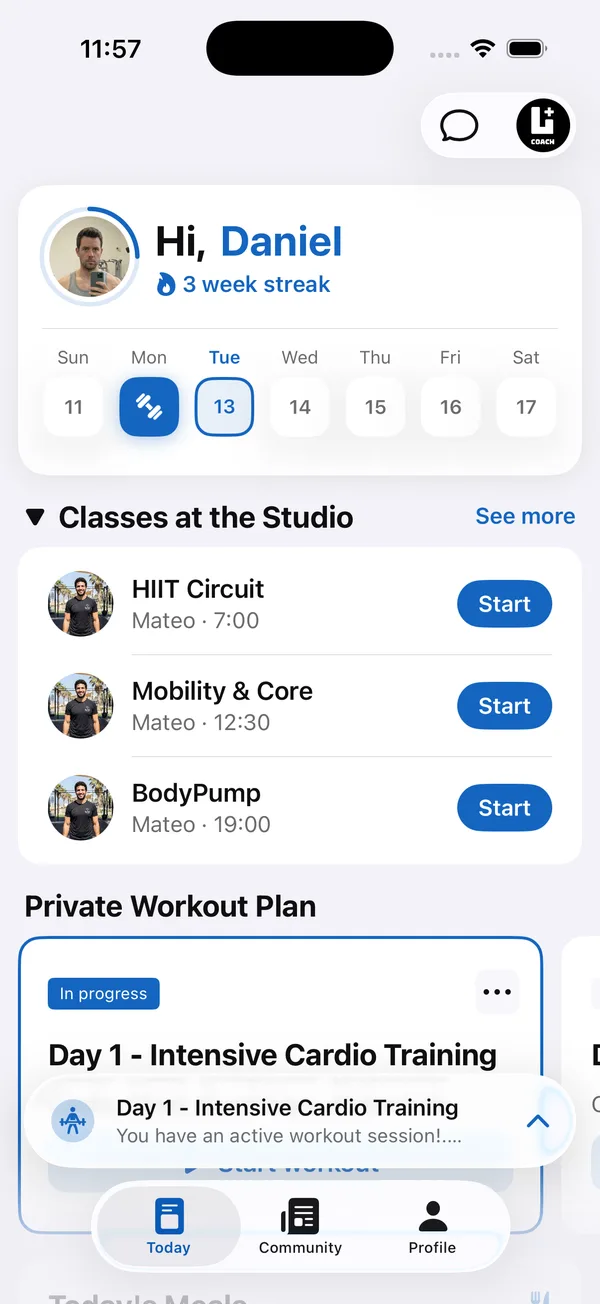
Clients chat from your branded app. The chat button sits at the top of the Today screen, right next to their workouts and studio classes, so a question about today’s session is one tap away. New messages arrive as push notifications, so clients see your reply without opening the app first.
Can I see a client’s progress while I reply?
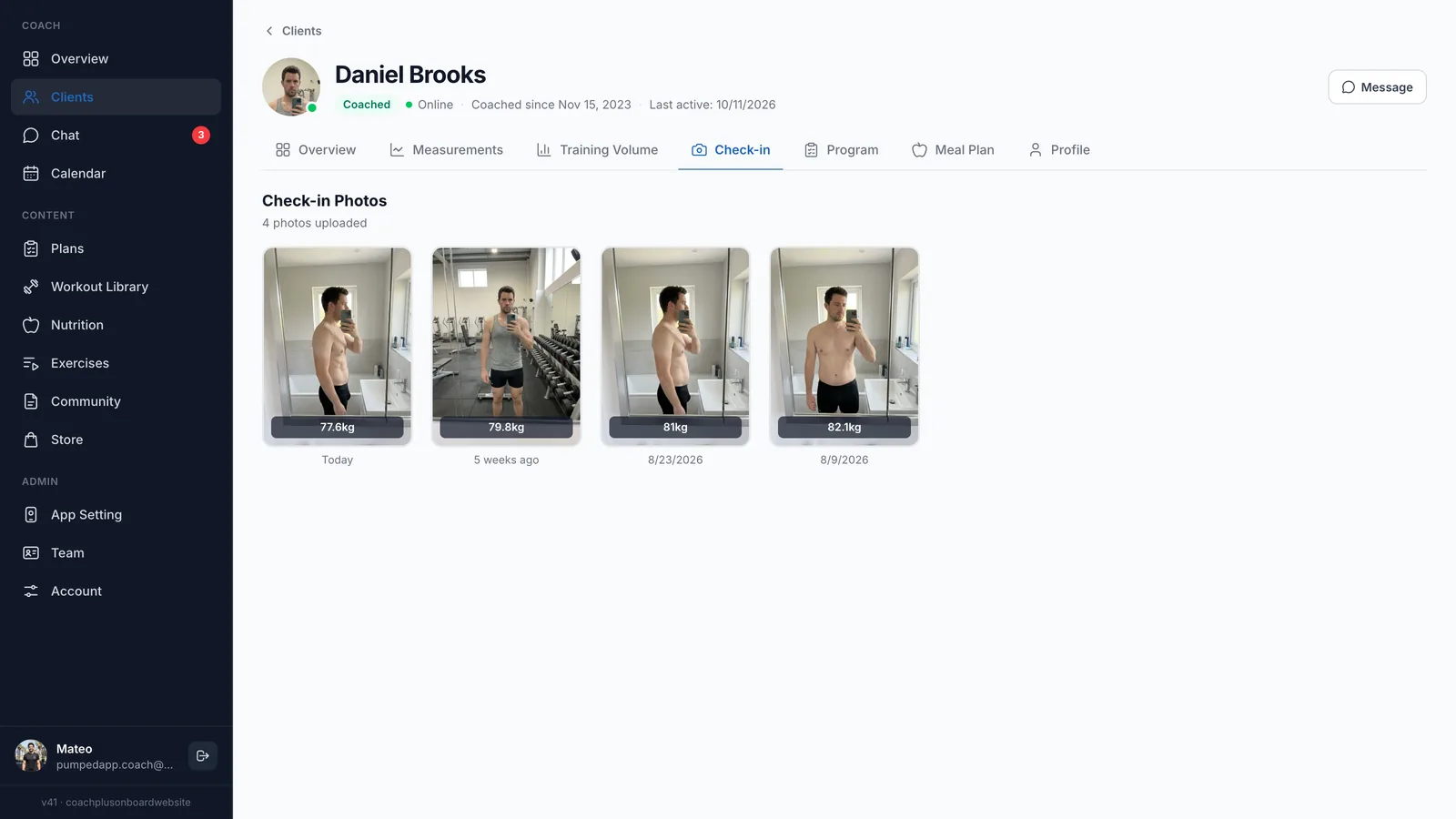
Yes. Every client profile has a Message button, and every chat has a Profile button, so you move between the two in one click. Open the Check-in tab and you see the client’s progress photos side by side with their weight and date, then write back with something specific instead of a generic “looking good”.
Why use a coaching communication app instead of WhatsApp?
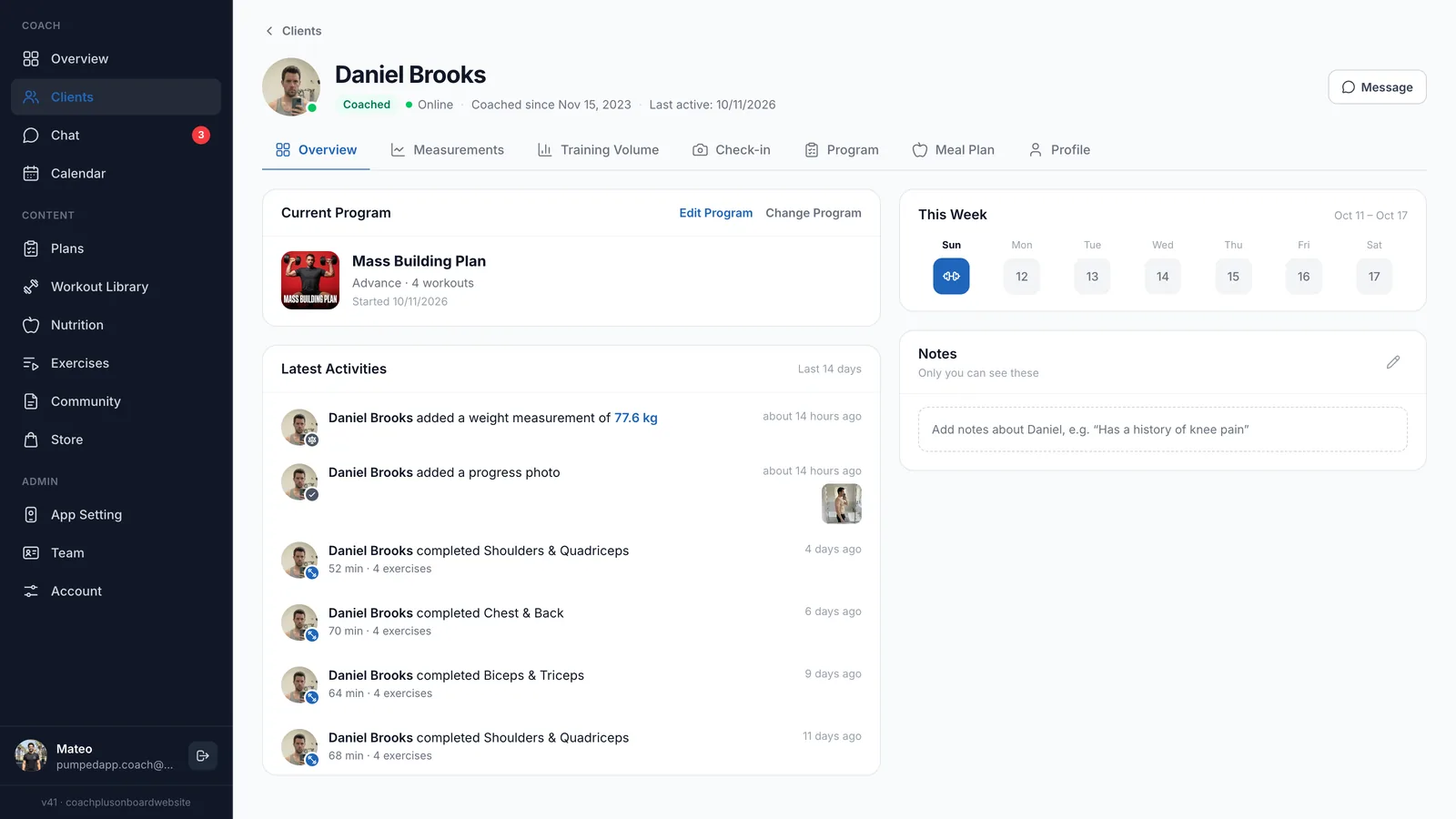
Because the context is already there. A client messaging app for personal trainers is only as useful as what sits next to it. In the Coach+ coaching platform, the client’s overview shows their current program, the workouts they completed with duration and exercise count, new measurements and progress photos, plus private notes only you can see. When a client writes “legs felt heavy today”, you check what they actually did before you answer.
- Nutrition: clients log meals against your meal plan in the app, and you see their meal plan in the dashboard before you reply to a food question.
- Training: the AI workout analyzer in the coach app reviews a logged workout and suggests one change to the plan, which you can explain to the client in chat.
- Group updates: for news meant for everyone, post in the private community feed instead of messaging clients one by one.
How to get started
- 1
Start your free trial
Sign up for Coach+ with no credit card. The trial runs for 30 days.
- 2
Set your branding
Upload your logo, choose your colors and name your app.
- 3
Add your clients
They get your app with the chat built in.
- 4
Assign a plan and say hello
Assign a program, then send a first message from the Chats page so every client knows where to reach you.
Frequently asked questions
Which Coach+ plan includes client messaging?
Chat with clients is included from the Growth plan ($89 a month, up to 45 clients) and on Ultimate ($199 a month, up to 150 clients). Paying yearly saves 10%.
Is there a free trial?
Yes. Coach+ has a 30-day free trial with no credit card, so you can message real clients before you pay.
Do clients get notified about new messages?
Yes. New messages trigger a push notification in your branded app.
Can I send one message to all my clients?
Chat is one-on-one. For an update meant for everyone, post in the private community feed, pin it to the top and send clients a notification about it.
Does the chat work in Hebrew?
Yes. The dashboard and the client app work in English and Hebrew, with a right-to-left layout.
For coaches
Move client conversations into your own app
Try this client messaging app for personal trainers free for 30 days, no credit card, and keep every chat next to the client’s data.

For your clients
Their own app, with your brand
Clients open today’s workout, log every set, follow their meal plan and check in. Everything lands on your dashboard.
Online coaching platform for personal trainers