AI Workout Builder for Personal Trainers
Coach+ includes an AI workout builder for personal trainers. Describe the client and the goal in plain words, and the AI assistant drafts a training plan or a meal plan inside the Coach+ editor. Each suggestion comes with accept and reject buttons, so the coach reviews and edits everything before it reaches the client.
Build My Coaching App30-day free trial · No credit card
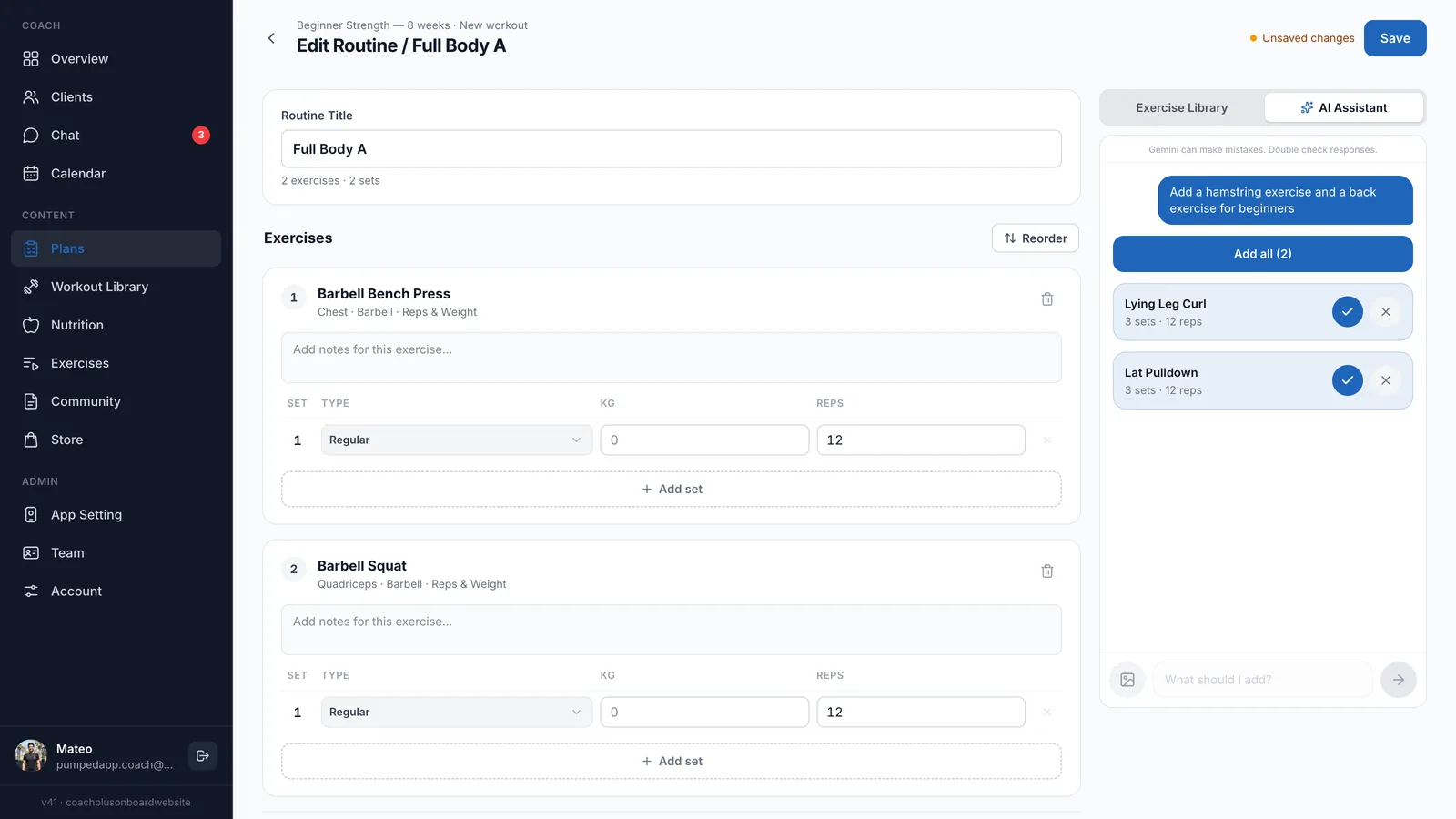
An AI workout builder for personal trainers should remove the blank-page part of programming without taking the coaching out of your hands. In Coach+, the AI assistant sits right next to the workout editor. You type a request such as “add a hamstring exercise and a back exercise for beginners” and get exercises with sets and reps that you accept one by one.
The same assistant works in the meal plan editor, and it can turn programs you already wrote in Excel or PDF into plans. You stay the coach: nothing reaches a client until you approve it and save.
How does the AI build a workout plan?
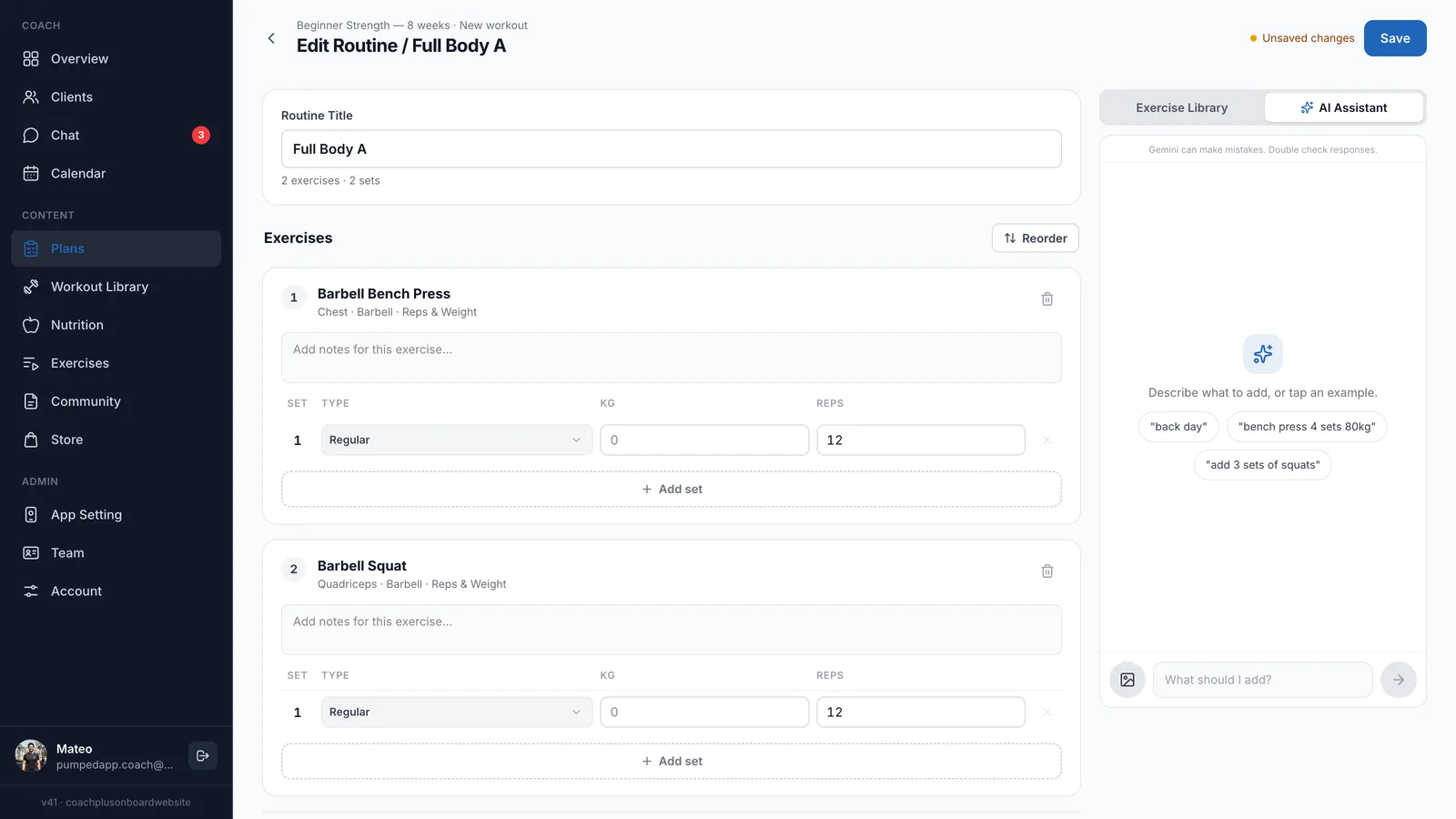
You describe what you want in plain words and the AI drafts it with exercises from the Coach+ library. Inside a workout, switch the side panel from Exercise Library to AI Assistant and type the client’s level, goal or the gap you want to fill. Not sure how to phrase it? Tap one of the example prompts.
- Plain-language requests. Describe a whole client and goal, or ask for a single change like “bench press 4 sets 80kg”.
- A draft, not a final answer. The AI suggests exercises with sets and reps. You decide what stays in the workout.
- Programs you already have. The assistant can turn existing Excel or PDF programs into plans in Coach+, so you don’t retype them.
Can I edit what the AI suggests before a client sees it?
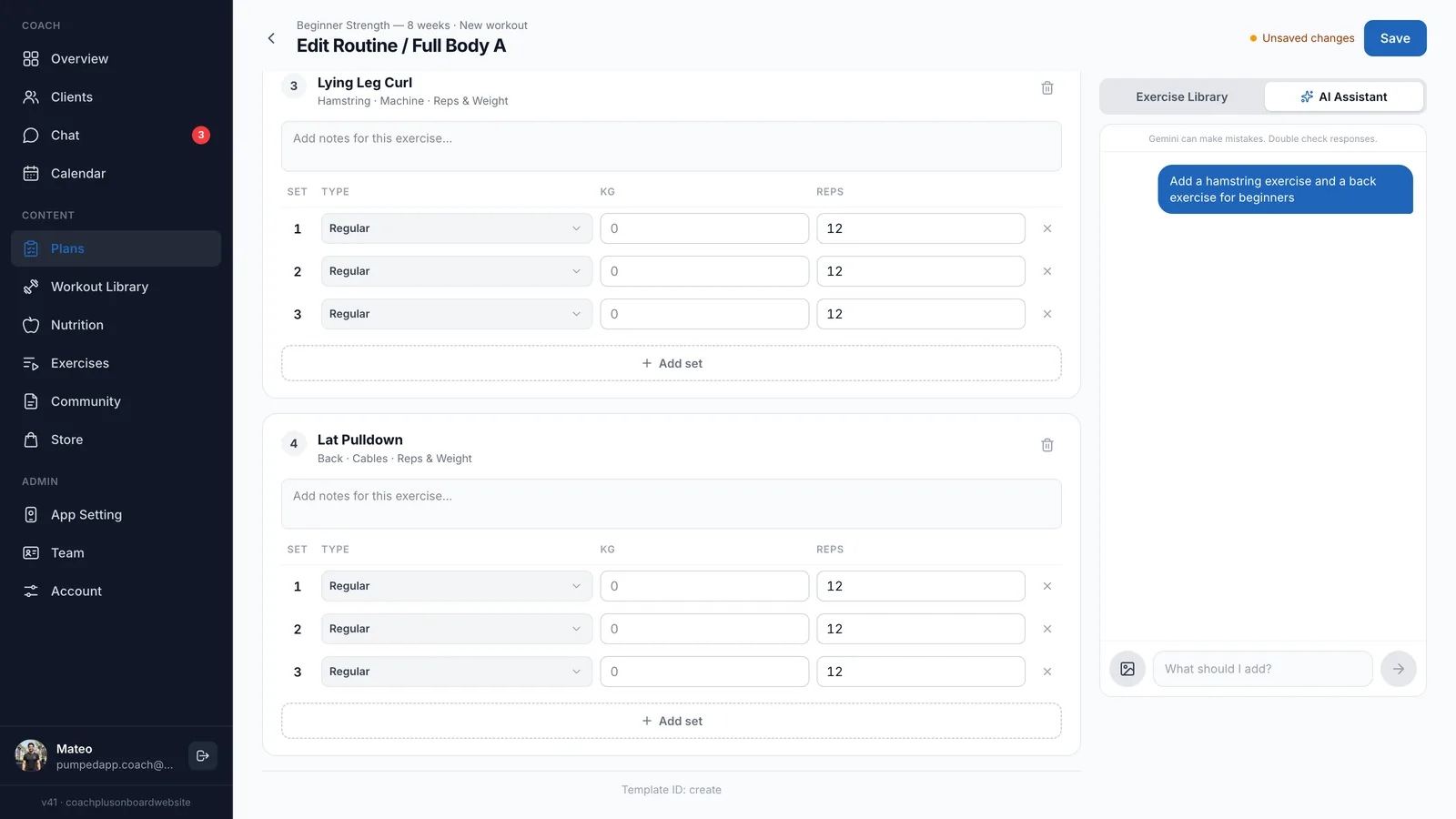
Yes. Every suggestion has its own accept and reject button, plus an “Add all” option. Accepted exercises land in the regular workout editor as normal sets, where you change reps, weight and notes, add or remove sets, reorder exercises and then save.
This is where an AI workout builder for personal trainers differs from a one-click AI workout plan generator: the AI speeds up the draft, and your judgement decides the final program.
Can the AI build meal plans too?
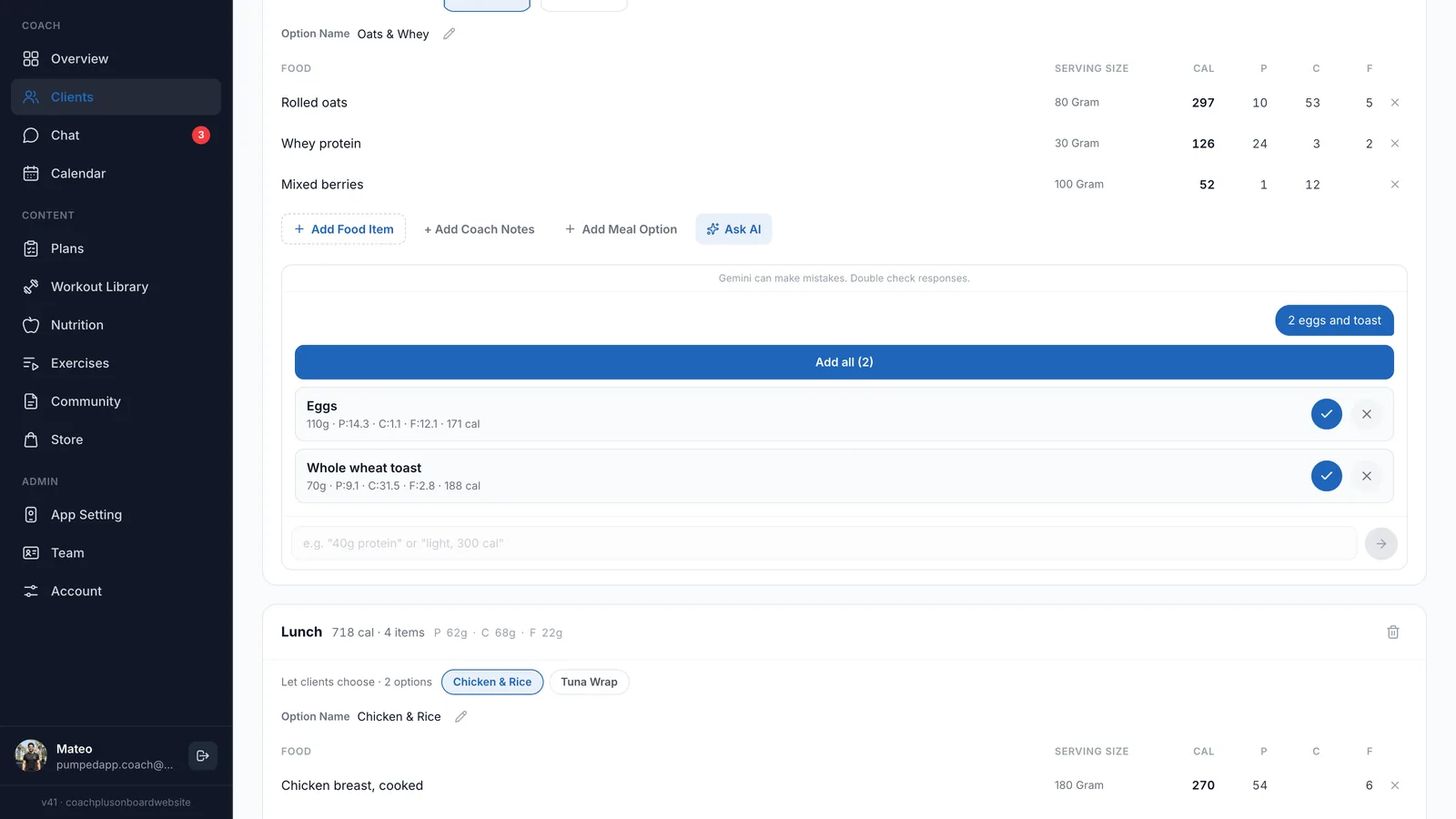
Yes. Coach+ also works as an AI meal plan generator for coaches. In any meal, click Ask AI and type something like “2 eggs and toast” or “40g protein”. The AI suggests foods with serving size, calories, protein, carbs and fat, and you accept the ones you want.
Accepted foods sit next to the items you picked from the food database, and a meal can hold several options, such as Chicken & Rice or a Tuna Wrap, so clients choose what suits them.
What happens after the plan is assigned?
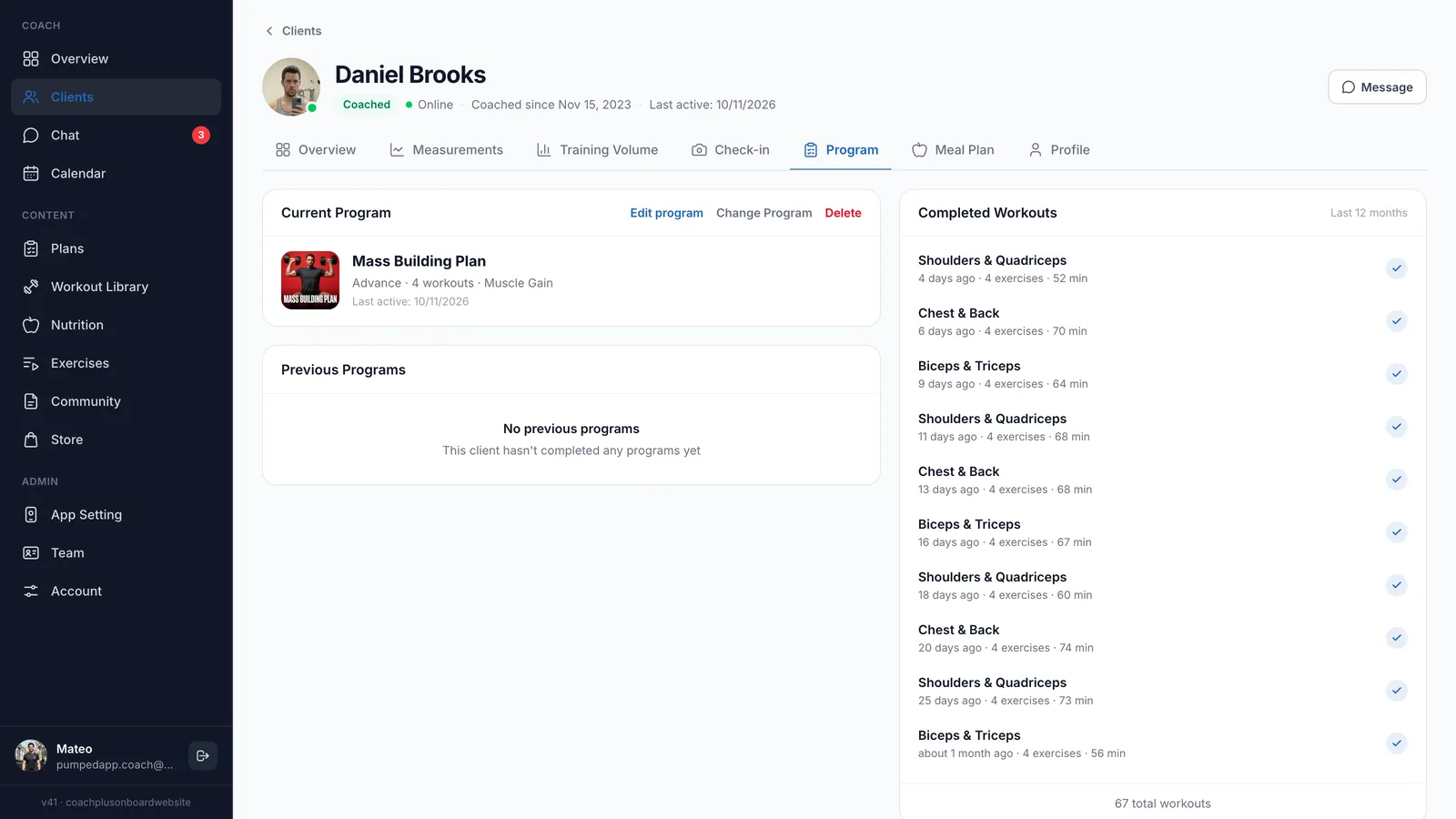
The plan lives on the client’s profile, and the client trains from it in the app under your brand. On the Program tab you see the current program, edit it or change it, and follow every completed workout with its date, exercise count and duration.
Because the AI workout builder for personal trainers runs inside the Coach+ coaching platform, the draft becomes a working program with set-by-set logging, check-ins and chat around it, not a file you email and forget.
How to get started
- 1
Sign up free
Create an account and start a 30-day free trial. No credit card needed.
- 2
Set your branding
Add your logo, colors and app name so clients see your brand, not ours.
- 3
Add your clients
Invite clients to the app and fill in their profiles.
- 4
Build with AI and assign
Open a plan, describe the client to the AI assistant, review every suggestion, save and assign it.
Frequently asked questions
How much does Coach+ cost?
Plans start at $39 a month for up to 10 clients, with Growth at $89 and Ultimate at $199. Paying yearly saves 10%.
Is there a free trial?
Yes. Every new account gets a 30-day free trial, and no credit card is required.
Does the AI send plans to clients on its own?
No. The AI only suggests. You accept or reject each suggestion, edit the workout and save it yourself before a client trains from it.
Can I bring in my existing Excel or PDF programs?
Yes. The AI assistant can turn existing Excel or PDF programs into plans in Coach+, which you then review and edit like any other plan.
Does Coach+ work in Hebrew?
Yes. Coach+ runs in English and in Hebrew, with full right-to-left support in Hebrew.
For coaches
Try the AI workout builder free
Start a 30-day free trial, describe your next client and review your first AI draft today.

For your clients
Their own app, with your brand
Clients open today’s workout, log every set, follow their meal plan and check in. Everything lands on your dashboard.
Online coaching platform for personal trainers