Workout Program Builder for Personal Trainers
Coach+ is a workout program builder for personal trainers. You build plans made of workout days, fill each workout with exercises from a 500+ exercise library with demo videos, and set sets, reps, weight and rest. Clients then follow the program and log every set in the Coach+ app under your brand.
Build My Coaching App30-day free trial · No credit card
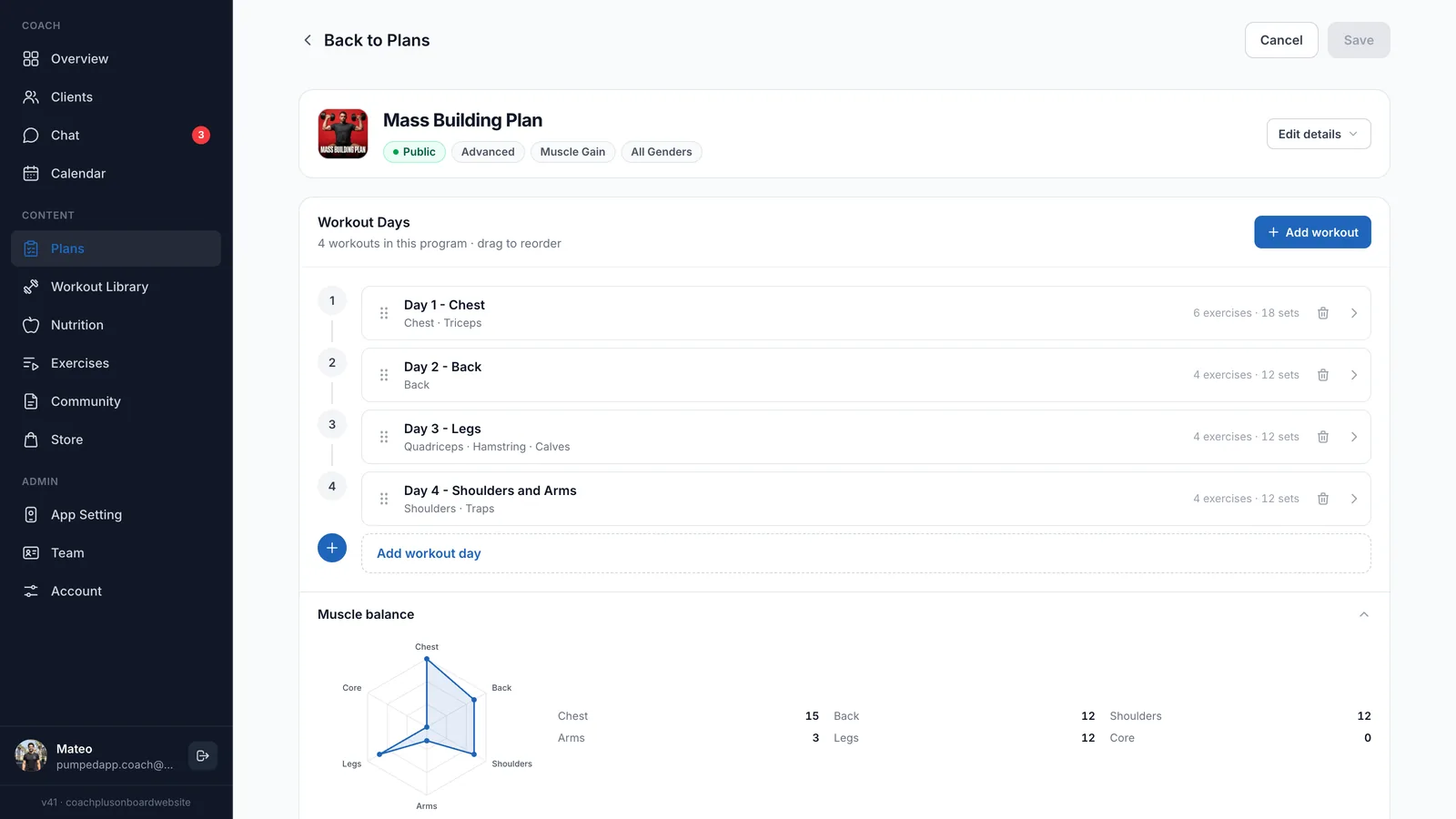
A workout program builder for personal trainers has two jobs: let you write a real program quickly, and deliver it in a form clients actually follow. In Coach+, a program is a plan made of workout days. Each day is a workout with exercises, sets, reps, weight and rest, and a muscle balance chart shows the sets each muscle group gets before you save.
Exercises come from a library of 500+ movements with demo videos, plus any custom exercises you create. Once the plan is assigned, the client opens it in the app and logs it set by set.
What goes into each workout?
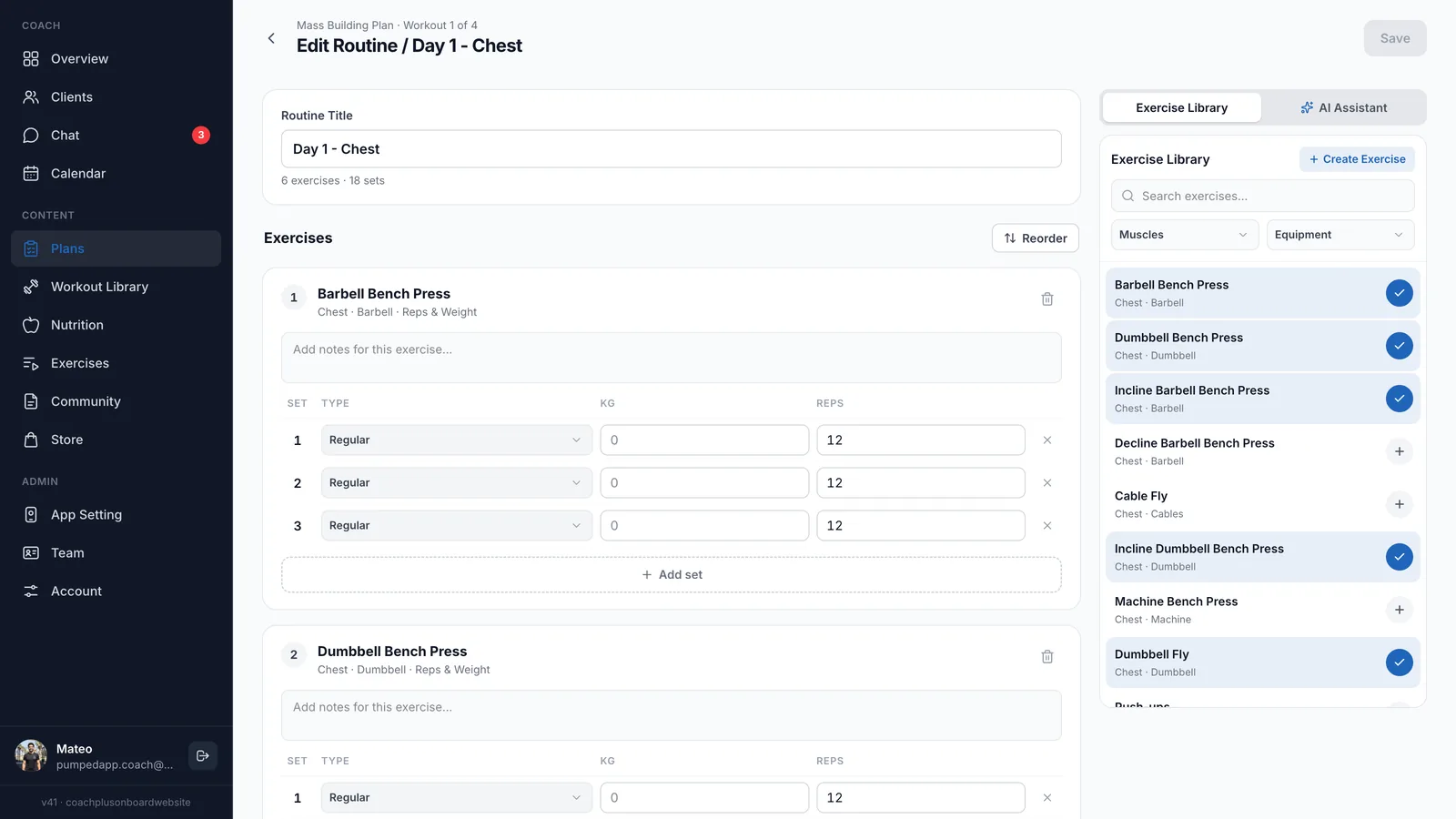
Each workout lists its exercises, a notes field per exercise and a row for every set with set type, weight in kg and reps. You pick exercises from the library panel next to the editor, add or remove sets, and reorder the list when the plan changes. That is how a workout program builder for personal trainers should feel: quick to write in and easy to change.
- Plans with as many workout days as you need
- Sets, reps, weight and rest per exercise
- Coaching notes on every exercise
- Muscle balance chart across the whole plan
Does it include an exercise library with videos?
Yes. Coach+ comes with an exercise library with videos covering 500+ exercises, each tagged by muscle and equipment so you can search and filter in seconds. Clients see the demo video for every exercise in their app.
Missing a movement you use? Create a custom exercise and it appears in the same library and in the workout editor, ready for any plan.
Can I save single workouts for studio sessions?
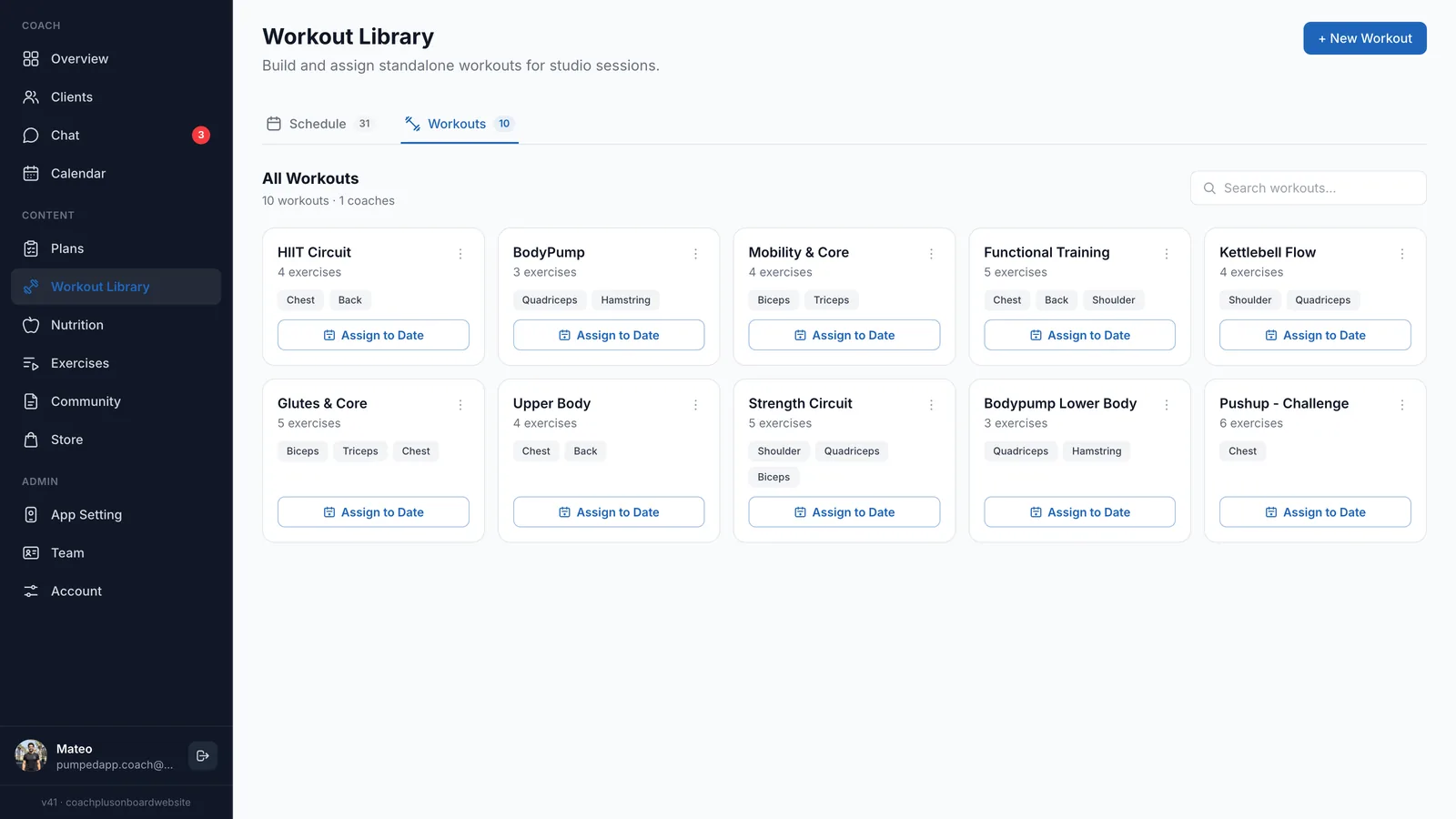
Yes. Besides full plans, the Workout Library holds standalone workouts such as a HIIT circuit, a mobility session or a BodyPump class. Each card shows the exercise count and muscle groups, and Assign to Date puts the workout on the schedule for a studio session.
Can clients log workouts on their phone?
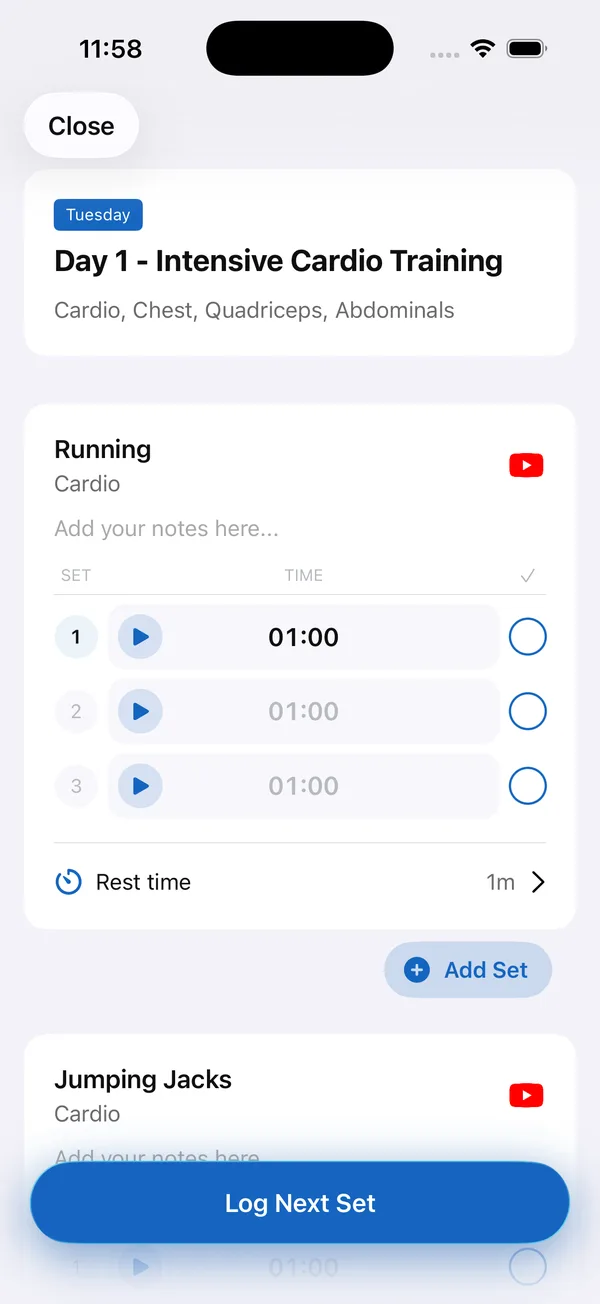
Yes. That is what makes Coach+ a workout builder app for coaches rather than a document editor. Clients open the day’s workout in the app under your brand, watch the demo video for each exercise and log set by set, with a timer for timed sets and the rest time you set.
Every logged workout flows back into the Coach+ coaching platform, so you see completed workouts and training volume on the client’s profile without asking for screenshots.
How to get started
- 1
Sign up free
Create an account and start a 30-day free trial. No credit card needed.
- 2
Set your branding
Add your logo, colors and app name so the client app carries your brand.
- 3
Add your clients
Invite clients to the app and fill in their profiles.
- 4
Build and assign a program
Create a plan, add workout days and exercises, save it and assign it to a client.
Frequently asked questions
How much does Coach+ cost?
Plans start at $39 a month for up to 10 clients, with Growth at $89 and Ultimate at $199. Paying yearly saves 10%.
Is there a free trial?
Yes. Every new account gets a 30-day free trial, and no credit card is required.
Can I change a program after a client has started it?
Yes. Edit any workout in the plan and save. From the client’s Program tab you can also edit or change their current program.
Can I move my programs over from Excel or another app?
Yes. The AI assistant can turn existing Excel or PDF programs into Coach+ plans that you then review and edit, or you can rebuild them by hand in the program builder.
Does Coach+ work in Hebrew?
Yes. Coach+ runs in English and in Hebrew, with full right-to-left support in Hebrew.
For coaches
Build your first program in Coach+
Start a 30-day free trial of the Coach+ workout program builder for personal trainers and assign your first program today.

For your clients
Their own app, with your brand
Clients open today’s workout, log every set, follow their meal plan and check in. Everything lands on your dashboard.
Online coaching platform for personal trainers