Exercise Library for Personal Trainers: 500+ Exercises with Demo Videos
Coach+ includes an exercise library for personal trainers with 500+ exercises, each tagged by muscle and equipment, with muscle-group diagrams and demo videos. You search and filter it right inside the workout editor, add exercises with one click, and create custom exercises with your own instructions and video. Clients see the demo video in their app.
Build My Coaching App30-day free trial · No credit card
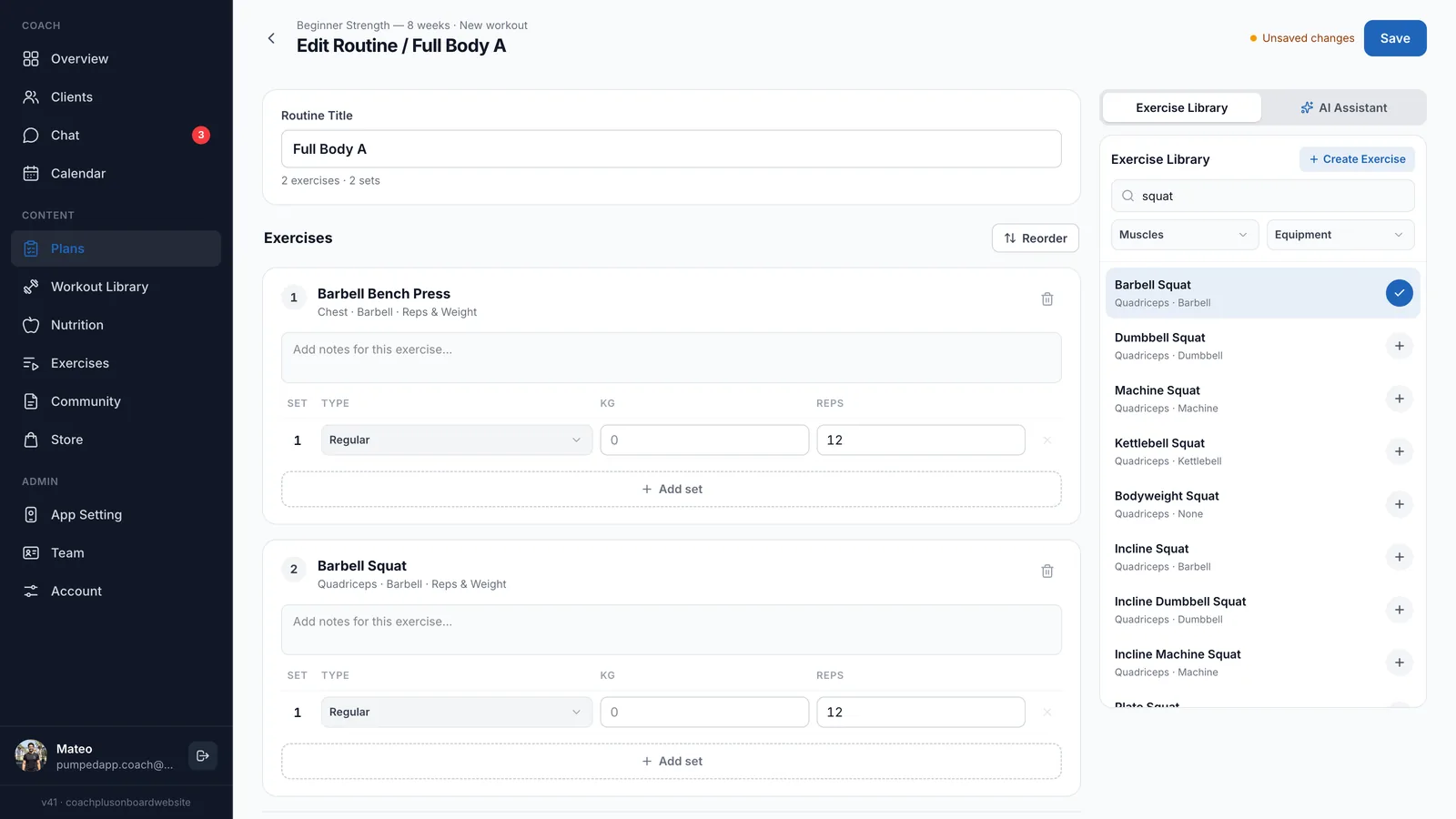
An exercise library for personal trainers saves you from typing the same exercise names and links into every program. Coach+ comes with 500+ exercises, each tagged by muscle and equipment, with demo videos clients can watch in the app.
The library lives where you need it: in a panel next to the workout you’re building. Anything missing, you add as a custom exercise with your own instructions and video.
What’s in the Coach+ exercise library?
This exercise library for personal trainers has over 500 exercises covering strength, machines, free weights, bodyweight and cardio. Each one has its main muscle group and equipment, so a search for “squat” returns the barbell, dumbbell, machine and kettlebell versions side by side.
- 500+ exercises ready from day one
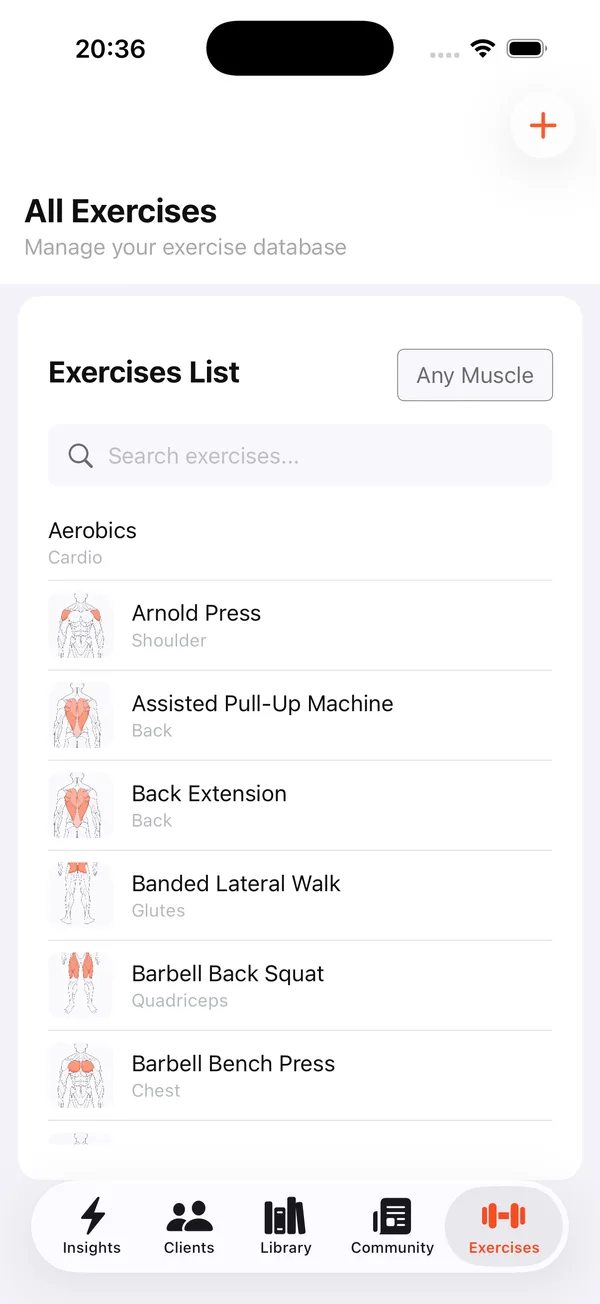
- Muscle-group diagrams to scan the list fast
- Filters by muscle and by equipment
- Demo videos clients watch in the app
How do I add exercises to a workout?
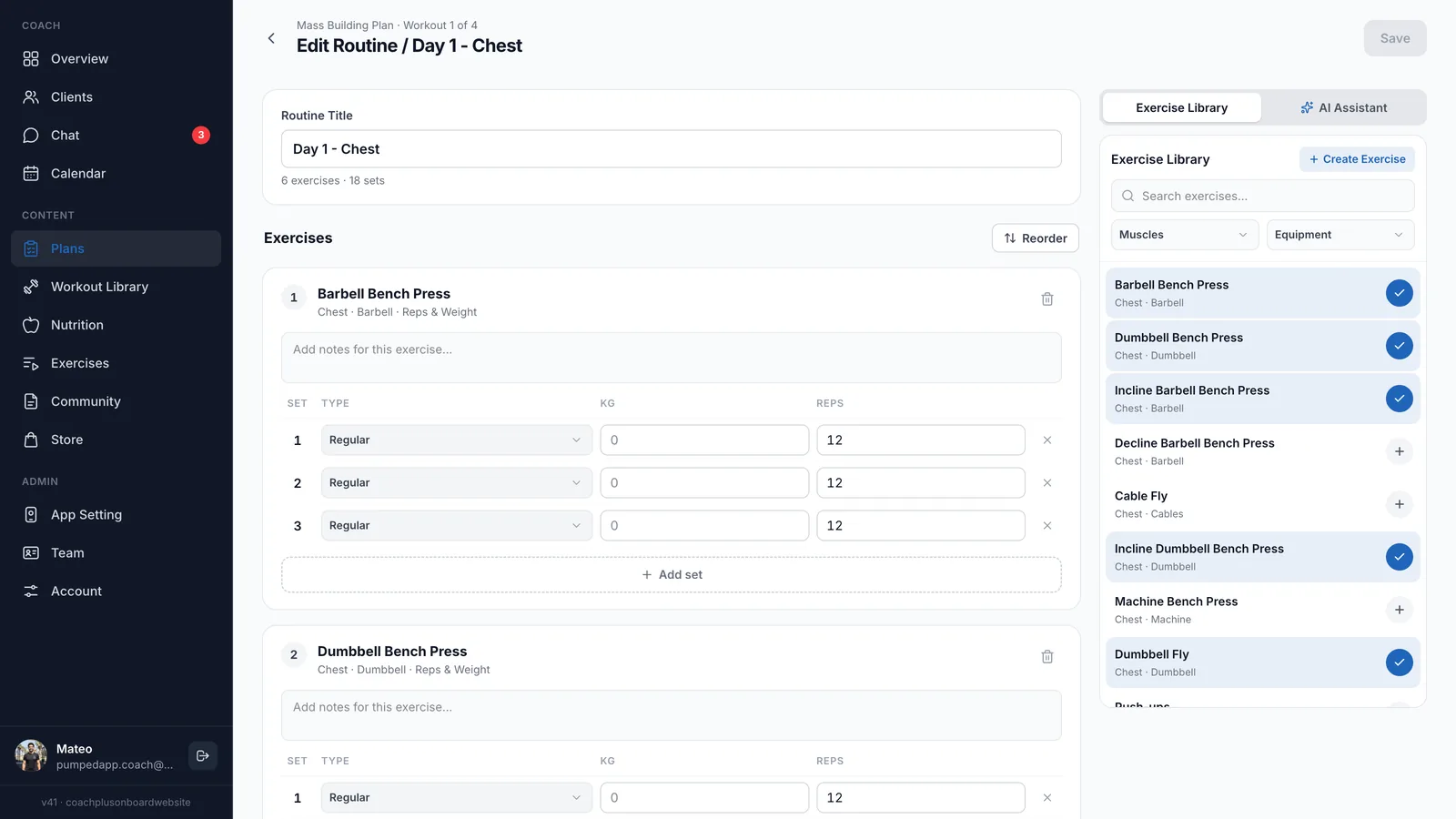
Open any workout in the editor and the Exercise Library panel sits on the right. Search by name, filter by Muscles or Equipment, and click + to add an exercise. Exercises already in the workout are checked, so you see at a glance what you’ve used. Then set the set type, weight, reps and a note for each one.
That is the core of the workout and plan builder in the Coach+ coaching platform: plans made of workout days, and every day built from the library in a few clicks.
Can I create custom exercises?
Yes. Click Create Exercise in the library panel and add your own movement with instructions, the main and secondary muscles, the equipment and a YouTube video link. Custom exercises sit in the same library as the built-in ones, so you add them to workouts the same way.
It’s the easiest way to keep your signature drills, studio variations and your own demo videos in every client’s program.
Do clients see exercise videos in the app?
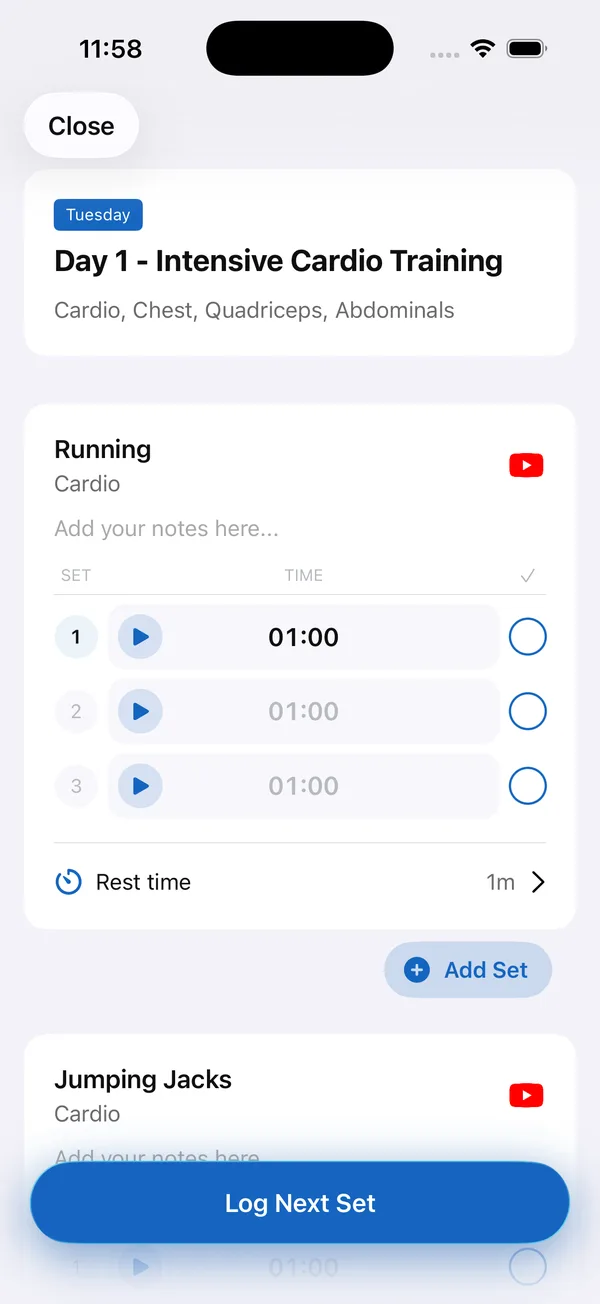
Yes. In your branded app, exercises in the workout come with a video button, so clients check the movement before the first set. They log every set, run the timer and follow the rest time you set, then move on with Log Next Set. That is what makes this an exercise video library clients actually use, not a list of links.
Does it work with the AI features?
Yes. The AI Assistant tab sits next to the Exercise Library in the same editor: describe the client and the goal, and the AI drafts a program you review and edit before it reaches the client. After clients train, the AI workout analyzer in the coach app reviews a logged workout and suggests one change to the plan, which you apply or ignore.
How to get started
- 1
Start your free trial
Sign up for Coach+ with no credit card. The trial runs for 30 days.
- 2
Set your branding
Upload your logo, choose your colors and name your app.
- 3
Add your clients
They get your app, with exercise demo videos inside each workout.
- 4
Build and assign
Build a workout from the library, add any custom exercises you need and assign the plan.
Frequently asked questions
How much does Coach+ cost?
Plans start at $39 a month for up to 10 clients, with Growth at $89 (up to 45 clients) and Ultimate at $199 (up to 150 clients). Paying yearly saves 10%.
Is there a free trial?
Yes. Every new account gets a 30-day free trial, and no credit card is required.
Can I add my own exercise videos?
Yes. Create a custom exercise and add a YouTube video link, along with instructions, muscles and equipment.
Can I move my programs over from Excel or another app?
Yes. The AI assistant can turn existing Excel or PDF programs into Coach+ plans that you review and edit, or you rebuild them by hand from the exercise library.
Does Coach+ work in Hebrew?
Yes. The dashboard and the client app work in English and Hebrew, with a right-to-left layout.
For coaches
Build workouts from 500+ exercises
Try this exercise library for personal trainers free for 30 days, no credit card, and put demo videos inside every client’s workout.

For your clients
Their own app, with your brand
Clients open today’s workout, log every set, follow their meal plan and check in. Everything lands on your dashboard.
Online coaching platform for personal trainers