Personal Training App for Clients, Under Your Own Brand
Coach+ gives every client an app under the coach’s logo, colors and app name. Clients see today’s workouts and studio classes, log each set with timers and rest, follow their meal plan with calories and macros, compare check-in photos and weight, and react to each other’s workouts in a private feed. The coach builds it all from the web dashboard.
Build My Coaching App30-day free trial · No credit card
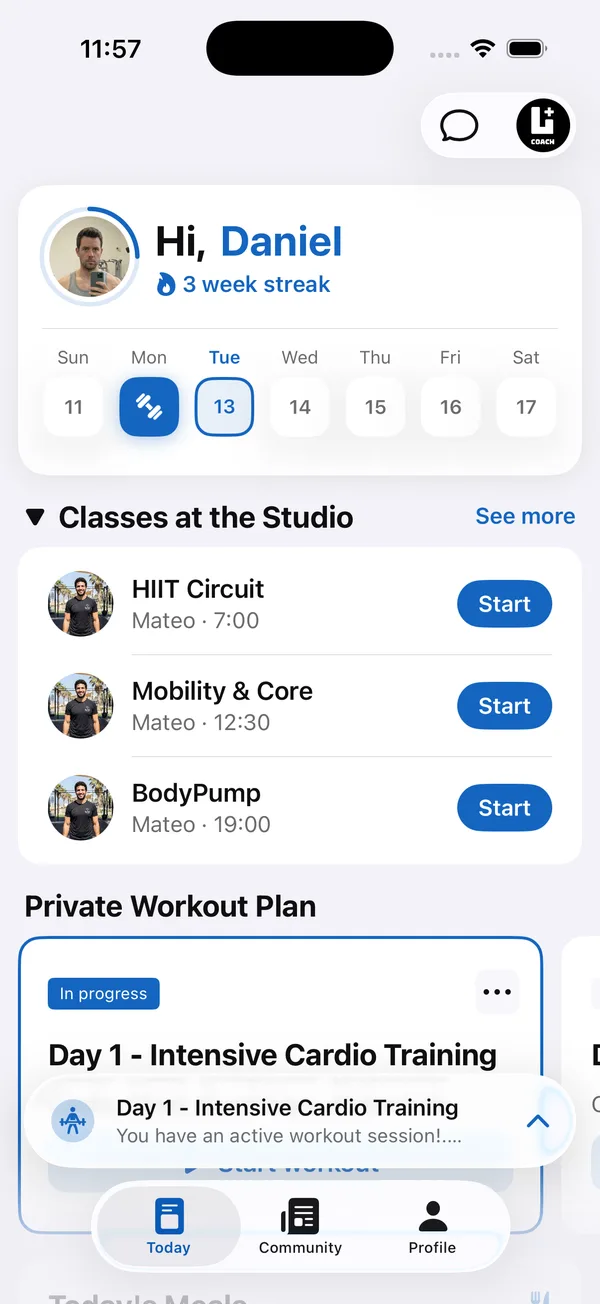
A personal training app for clients is where your coaching happens between sessions. With the Coach+ coaching platform, the workouts, meal plans and check-ins you build on the web dashboard show up in an app that carries your logo, colors and app name, so clients open your app, not someone else’s.
Every plan includes a branded web app that clients open on their phone. On the Ultimate plan you also get native iOS and Android apps under your brand.
What do clients see when they open the app?
The Today screen. It greets the client by name, shows their training streak and the week ahead, then lists today’s studio classes and the next workout from their private plan, ready to start. A chat button at the top opens a conversation with you, and new messages arrive as push notifications.
All of it runs under your logo, colors and app name. For a full branding checklist, see our guide to white label fitness apps for coaches.
Can clients log workouts on their phone?
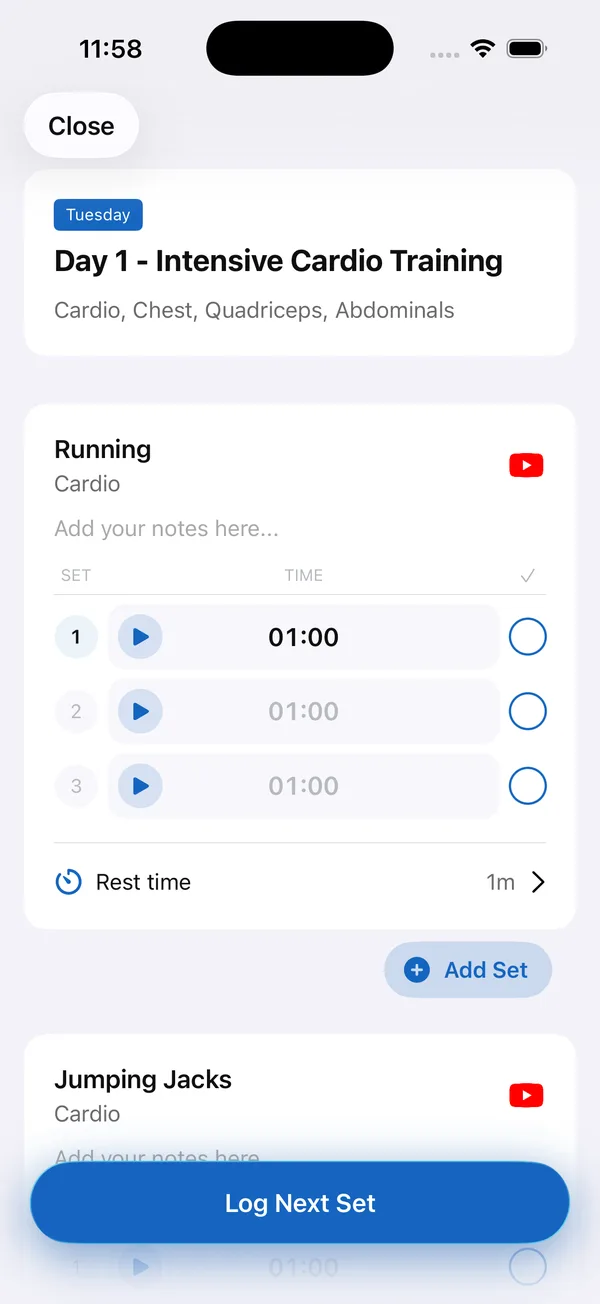
Yes. Each workout opens with its exercises in order, and clients log every set as they go, then tap once to move to the next set. Timed sets have a built-in timer, rest time is set per exercise, and clients can add a set or write a note when they need to.
Every exercise links to its demo video, so clients can check form mid-workout without messaging you first.
Can clients follow their meal plan in the app?
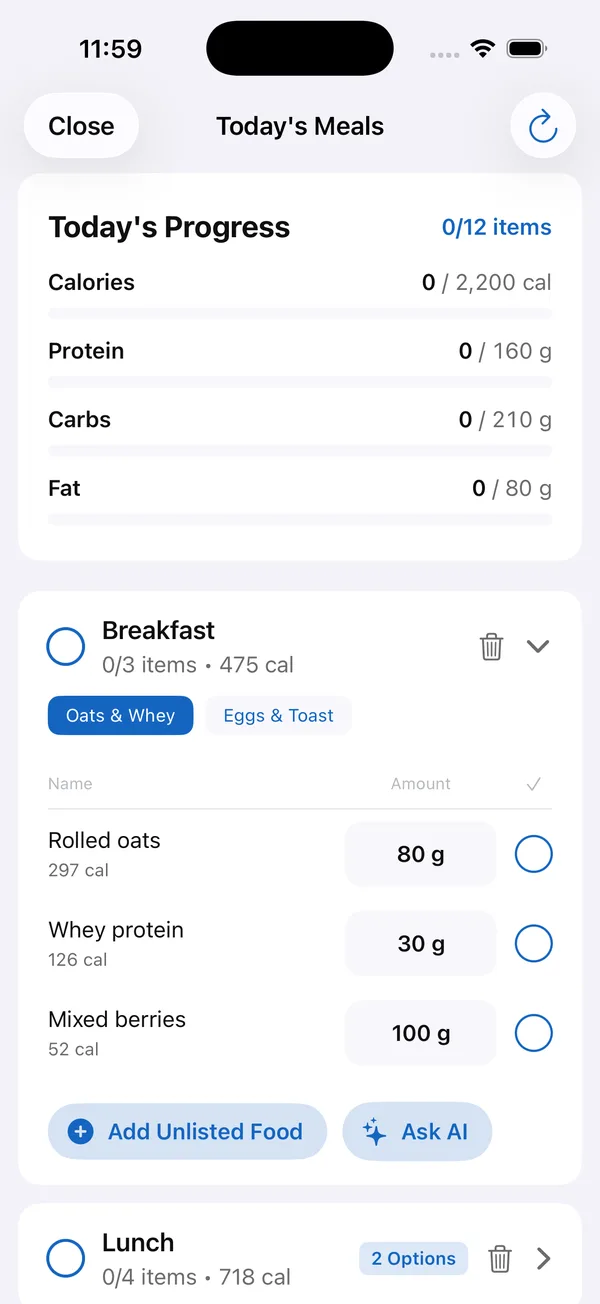
Yes. The Today’s Meals screen shows the day’s calorie, protein, carb and fat targets, and the bars fill as clients check off what they ate. Each meal lists foods with amounts and calories, and where you’ve added meal options, such as two different breakfasts, clients pick the one they’re having.
Clients can also log food themselves by barcode, photo or search, and water and steps come in from Apple Health or Google Fit.
How do clients see their progress?
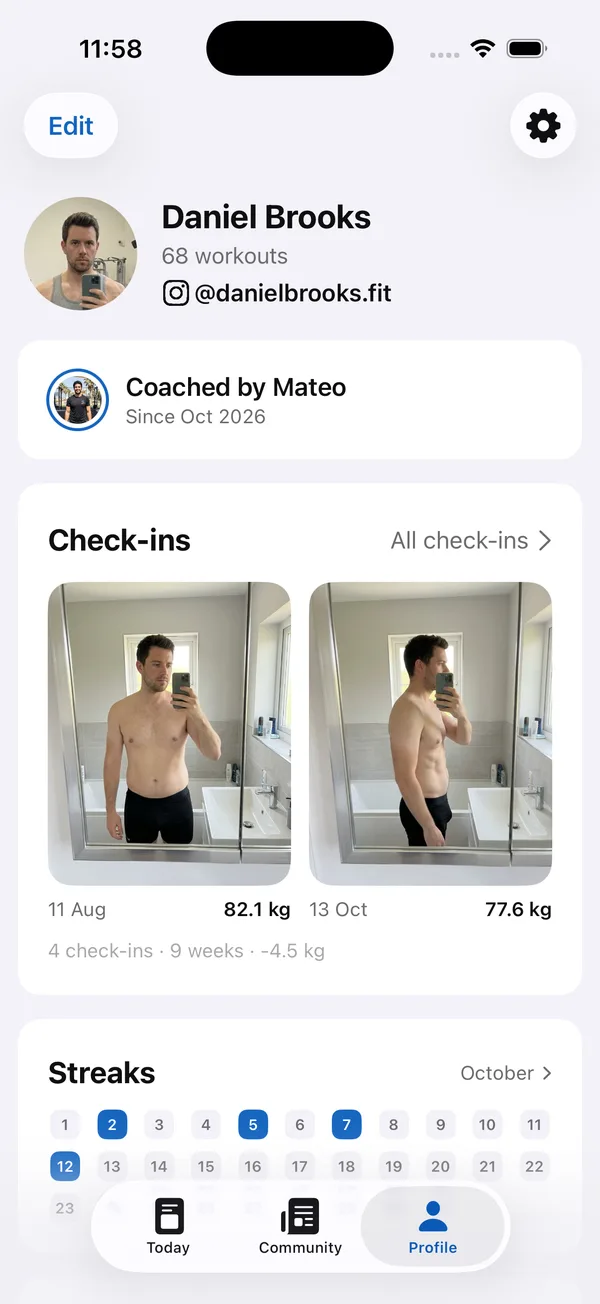
The profile tab puts the results in one place: total workouts, check-in photos side by side with the weight on each date, the change over time, and a monthly streak calendar of training days.
Seeing 82.1 kg next to 77.6 kg, nine weeks apart, motivates far more than a number in a spreadsheet. It also gives you a concrete starting point for the next conversation.
Is there a community inside the client app?
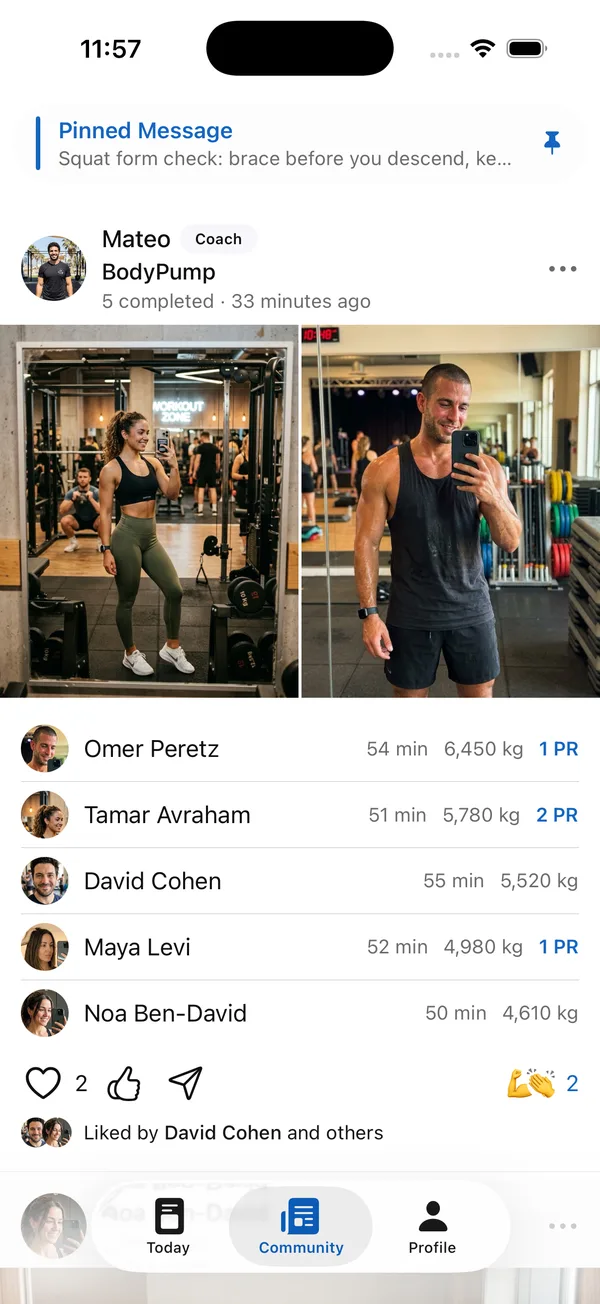
Yes. Your personal training app for clients includes a private feed with only your clients in it. Completed workouts appear there with time, total volume and PRs, clients react to each other, and you can pin a message to the top.
How to get started
- 1
Start your free trial
Sign up for Coach+ with no credit card. The trial runs for 30 days.
- 2
Set your branding
Upload your logo, choose your colors and name your app in the dashboard.
- 3
Add your clients
Add clients in the dashboard and share your app with them.
- 4
Build and assign
Build a training plan and a meal plan, or let the AI assistant draft one for you to review, then assign it. It shows up in the client’s app.
Frequently asked questions
How much does the client app cost?
The client app is included in every Coach+ plan: Essentials at $39 a month for up to 10 clients, Growth at $89 for up to 45, and Ultimate at $199 for up to 150. Native iOS and Android apps under your brand come with Ultimate, and yearly billing saves 10%.
Is there a free trial?
Yes. You get 30 days free with no credit card, so you can set up your branding and try the app with real clients before you pay.
Do clients need to download anything?
On every plan, clients use your branded web app straight from their phone. On Ultimate they can also install your native iOS or Android app.
Does the app work in Hebrew?
Yes. Coach+ works in English and Hebrew, with full right-to-left support.
Can I move clients over from PDFs or Excel?
Yes. The AI assistant can turn existing Excel or PDF programs into plans you review and edit, so clients get their program in the personal training app instead of a file.
For coaches
Give your clients an app with your name on it
Start a 30-day free trial with no credit card and see your personal training app for clients under your own brand.

For your clients
Their own app, with your brand
Clients open today’s workout, log every set, follow their meal plan and check in. Everything lands on your dashboard.
Online coaching platform for personal trainers