Fitness Community App for Coaches: A Private Feed for Your Clients
Coach+ includes a private community feed inside the coach’s branded client app. Clients’ completed workouts appear there with time, volume and PRs, clients react to each other, and the coach posts updates with a photo or video, pins important messages to the top and can send clients a notification when a new post goes up.
Build My Coaching App30-day free trial · No credit card
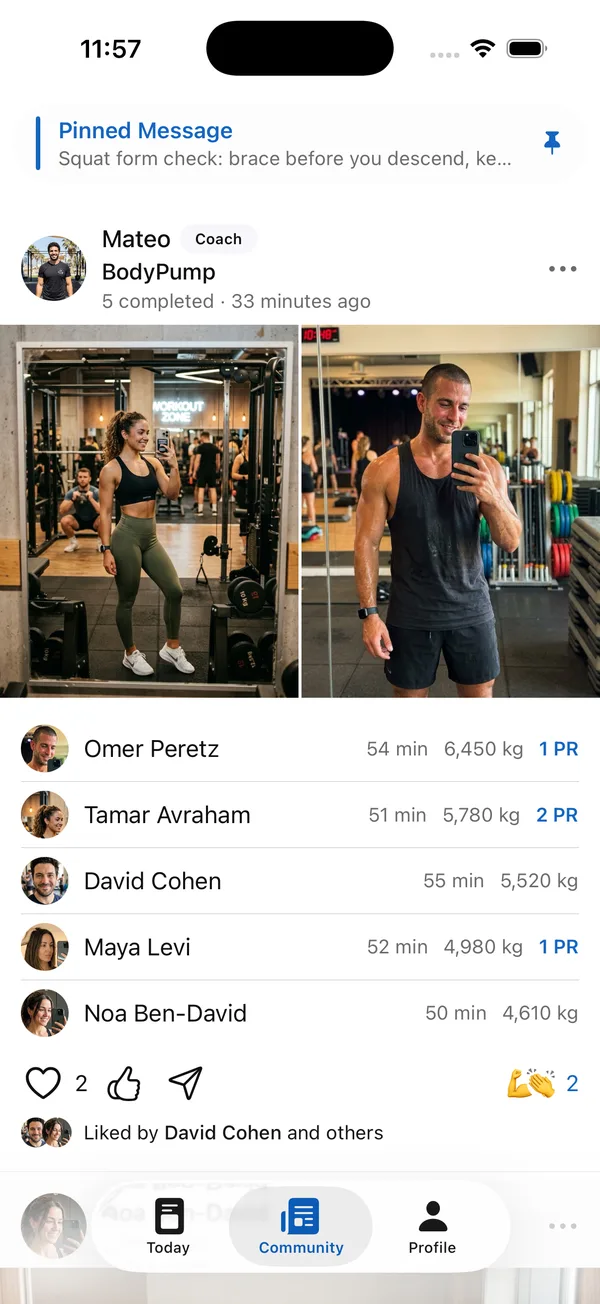
A fitness community app for coaches gives clients a reason to open the app on days they don’t train. In Coach+, the community is a private feed inside your own branded app, so only your clients see it.
The feed fills itself: when clients finish a workout, it shows up with their time, volume and PRs. You add the rest from the dashboard.
What is a private client community?
In the Coach+ coaching platform, it’s a social feed that lives inside your client app, not on Instagram or in a group chat. Only your clients see it, it carries your brand, and it sits in the Community tab next to their workouts and meal plan.
That makes it a social fitness app built around your coaching: clients see people they actually train with, and posts from the coach they actually work with.
Do clients’ workouts show up in the feed automatically?
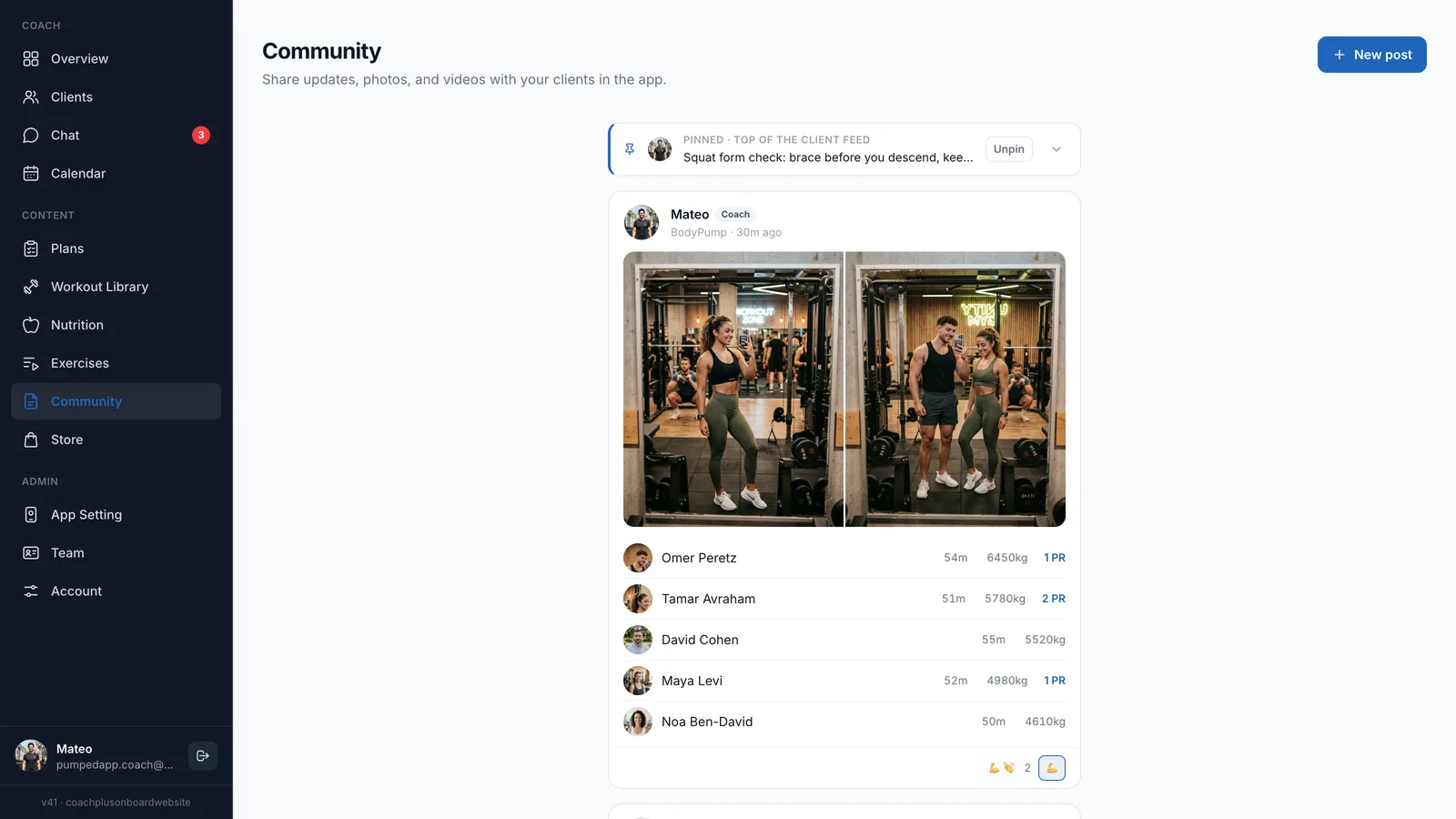
Yes. When clients complete a workout, it appears in the feed with how long it took, total volume in kilograms and any PRs. For a studio class, everyone who finished shows up together in one post, so a BodyPump class reads as a single list of the group’s results.
Clients like posts and react with emoji, so a new PR gets noticed by more people than just you.
What can coaches post in the community?
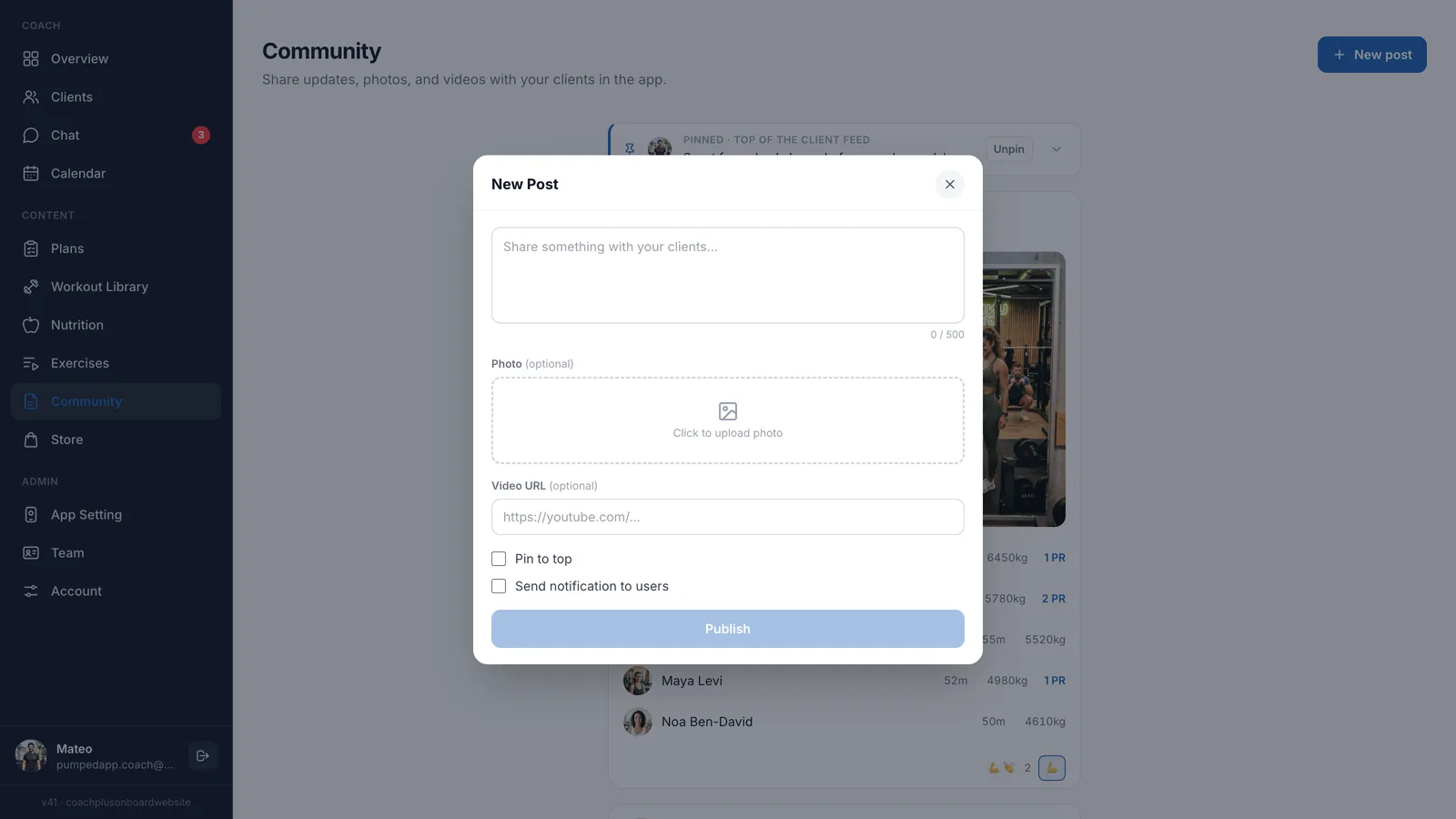
On the Community page in the dashboard, click New post and write up to 500 characters. You can add a photo or a YouTube video link, pin the post to the top of the client feed, and send clients a notification about it.
- Form tips: a short video on an exercise clients often get wrong.
- Studio updates: a new class or a change to the schedule.
- Challenges and shout-outs: a weekly challenge, or a congrats for whoever hit a PR.
How does the community connect to client progress?
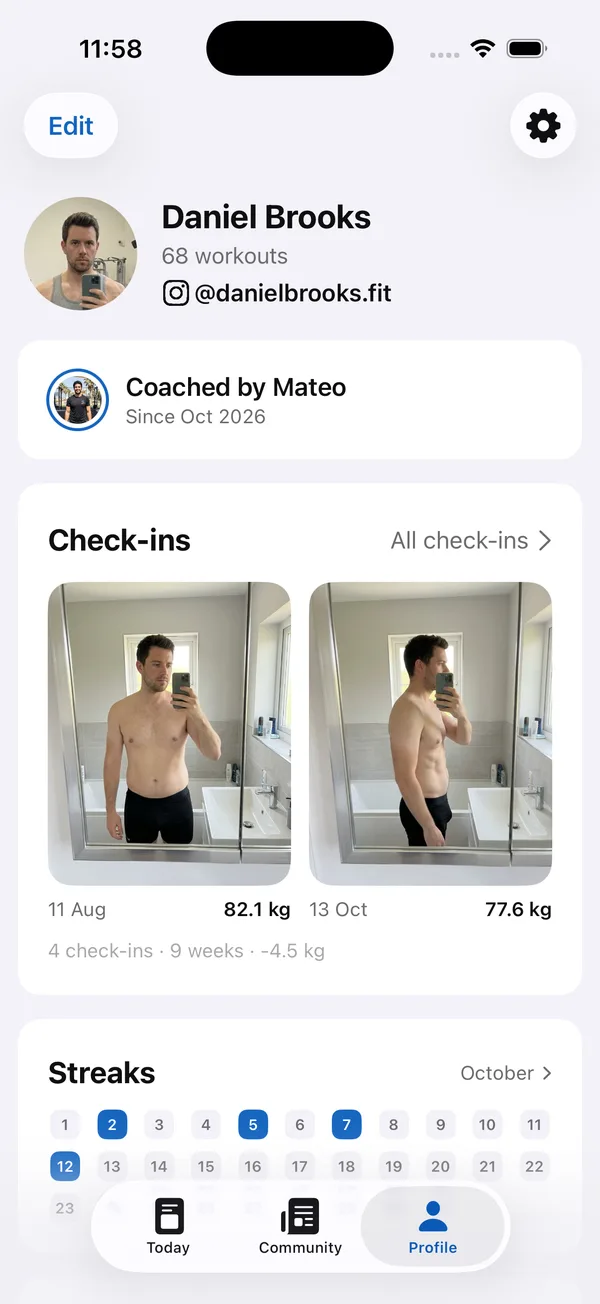
The feed shows the moment, the profile shows the trend. Each client’s profile tab collects their workout count, check-in photos side by side with their weight, and a monthly streak calendar.
Together they give clients two reasons to keep going: the group sees today’s PR, and the profile shows how far they’ve come.
How is it different from a WhatsApp group?
In a group chat, your tips get buried under dozens of messages. In a fitness community app for coaches like Coach+, pinned messages stay at the top of the feed, workouts post on their own with real numbers, and the community lives inside your branded app next to each client’s program. For one-on-one conversations there is a separate chat with push notifications.
How to get started
- 1
Start your free trial
Sign up for Coach+ with no credit card. The trial runs for 30 days.
- 2
Set your branding
Upload your logo, choose your colors and name your app.
- 3
Add your clients
They get your app, with the Community tab built in.
- 4
Post, pin and assign
Write a welcome post, pin your most important tip and assign workouts. Each completed workout starts filling the feed.
Frequently asked questions
Which Coach+ plan includes the community feed?
The private feed is included from the Growth plan ($89 a month, up to 45 clients) and on Ultimate ($199 a month, up to 150 clients). Yearly billing saves 10%.
Can I try it before paying?
Yes. Coach+ has a 30-day free trial with no credit card.
Is the community private?
Yes. The feed lives inside your branded client app and only your clients see it.
Can I control what stays at the top of the feed?
Yes. Pin any post to the top of the client feed, and unpin it from the dashboard when it’s no longer relevant.
Does it work in Hebrew?
Yes. The dashboard and the client app work in English and Hebrew, with a right-to-left layout.
For coaches
Start your private client community
Try this fitness community app for coaches free for 30 days, no credit card, and give clients a feed that’s all about their training.

For your clients
Their own app, with your brand
Clients open today’s workout, log every set, follow their meal plan and check in. Everything lands on your dashboard.
Online coaching platform for personal trainers