Custom Branded Fitness App: Your Logo, Colors and Name on Every Client’s Phone
Coach+ gives personal trainers a custom branded fitness app without building one. Upload your app icon and launch image, set your colors and app details in the dashboard, and clients open an app with your name and logo that holds their workouts, studio classes, meal plans, check-ins and a private community feed.
Build My Coaching App30-day free trial · No credit card
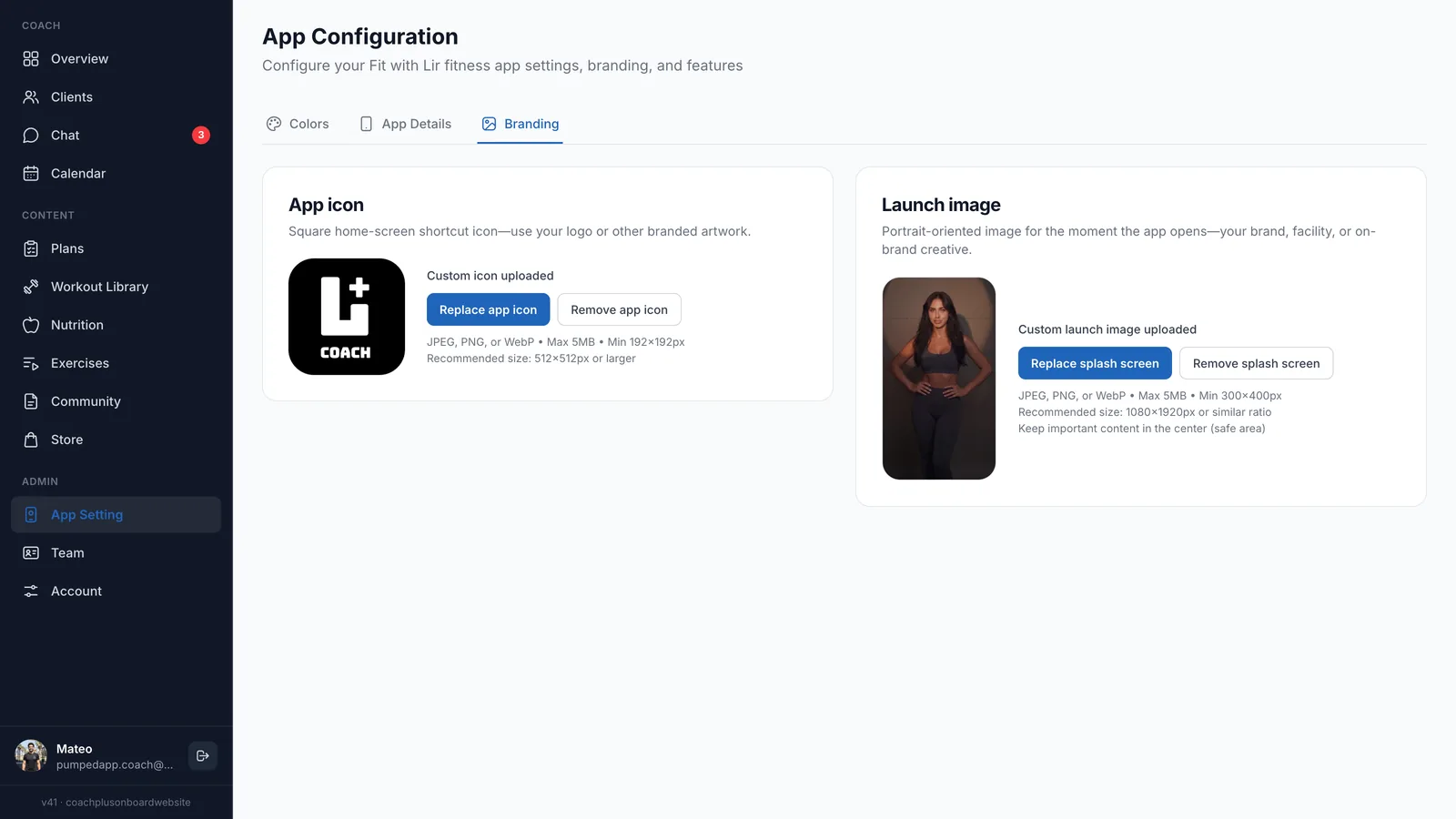
A custom branded fitness app puts your brand on the screen clients check every day, instead of a generic app with your name somewhere in a menu. With Coach+, you set it up from the App Configuration page in the dashboard, with no developer and no code.
Behind the brand sits everything you coach with: programs you build or let the AI draft, meal plans clients log against, and a community feed only your clients can see.
What can you customize in your branded app?
You set up your custom branded fitness app in App Configuration, which has three tabs: Colors, App Details and Branding. In Branding you upload two images, and Coach+ handles the rest.
- App icon: the square home-screen icon, usually your logo. JPEG, PNG or WebP up to 5 MB, at least 192×192 px, 512×512 px recommended.
- Launch image: the portrait image clients see the moment the app opens, such as your brand, your facility or a photo of you. 1080×1920 px recommended, with the important part in the center.
- Colors: your brand colors across the app.
- App Details: the name and details clients see for your app.
For a full checklist of what to look for in any branded app, see our guide to white label fitness apps.
What do clients see when they open your app?
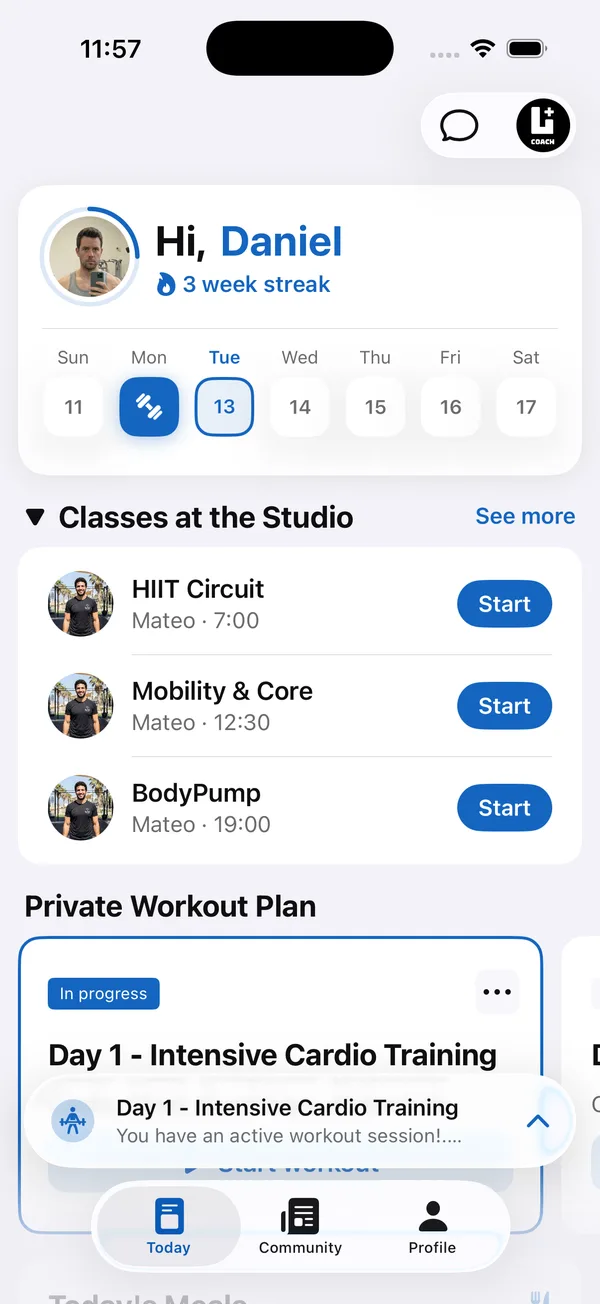
Their training day, under your logo. The Today screen greets each client by name with their streak, shows the week, lists the studio’s classes with a Start button and puts their private workout plan right below. Chat with you is one tap away at the top.
Further down are today’s meals from your meal plan. Clients check off what they ate or tell the AI what they had, and calories and macros fill against your targets.
Does the branded app include a community?
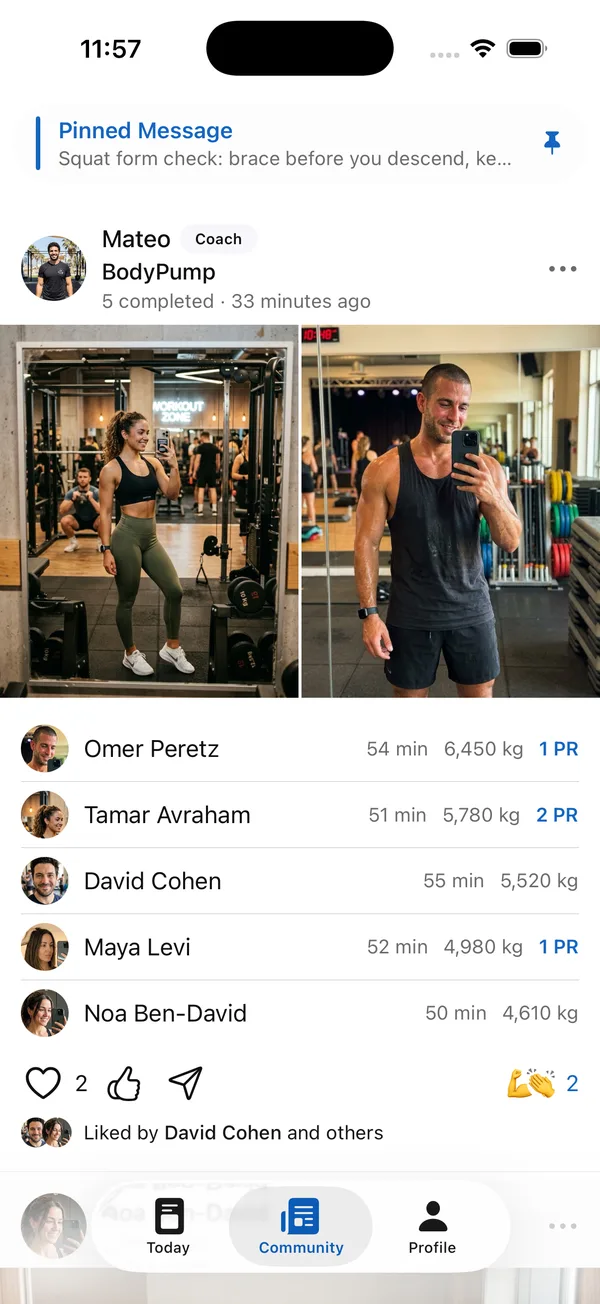
Yes. Every branded app has a Community tab: a private feed where clients’ completed workouts appear with time, volume and PRs, clients react to each other, and your pinned messages stay at the top.
It turns your app into the place clients go between sessions, not just the place they open to log a set.
Can a studio with several coaches share one branded app?
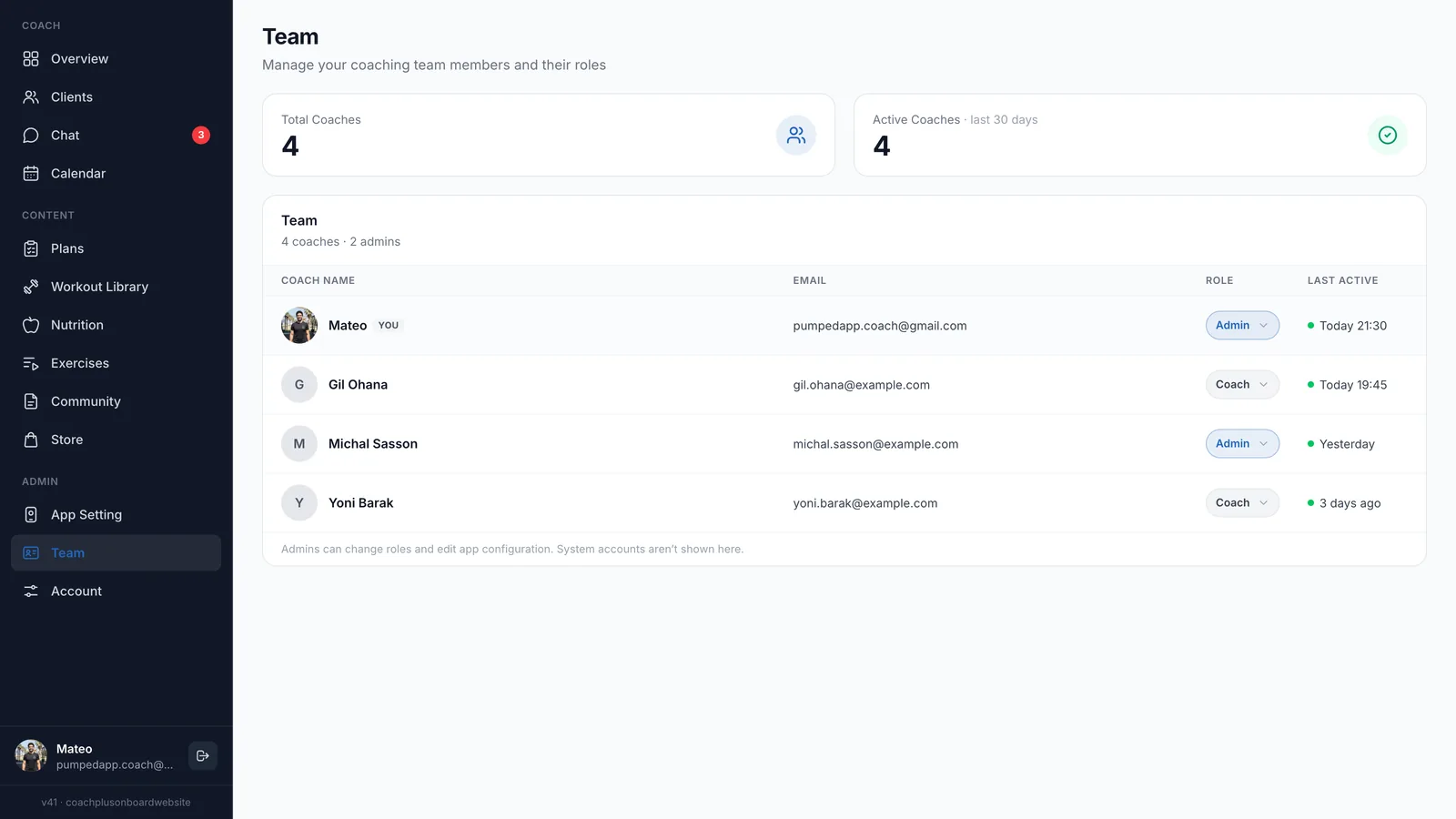
Yes. On the Ultimate plan, up to 10 coaches work under one brand, each with their own clients. The Team page shows every coach with their role and last activity, and admins can change roles and edit the app configuration.
That makes Coach+ a branded app for personal trainers working solo and for studios with a team: one app, one look, every coach’s clients inside it.
Will my app be in the App Store and Google Play?
On every plan, clients get a branded web app they open straight from their phone. On the Ultimate plan you also get native iOS and Android apps under your brand, plus a storefront to sell your plans with 0% platform commission.
Either way, your custom branded fitness app runs on the full Coach+ coaching platform: the AI drafts programs and meal plans for you to review, clients log workouts and food in your app, and in the coach app you can run the AI workout analyzer on a client’s logged workout.
How to get started
- 1
Start your free trial
Sign up for Coach+ with no credit card. The trial runs for 30 days.
- 2
Set your branding
Open App Configuration, upload your app icon and launch image, pick your colors and fill in App Details.
- 3
Add your clients
They get your branded app with your name and logo.
- 4
Build and assign
Create a program and a meal plan for each client, or let the AI draft them, and they show up in your app.
Frequently asked questions
How much does a custom branded fitness app cost with Coach+?
Every plan includes your branded web app: Essentials at $39 a month for up to 10 clients, Growth at $89 for up to 45 and Ultimate at $199 for up to 150. Native iOS and Android apps under your brand come with Ultimate, and yearly billing saves 10%.
Is there a free trial?
Yes. You get 30 days free with no credit card, so you can set up your branding and try the app with real clients before you pay.
Do I need a developer or designer?
No. You upload an icon and a launch image, pick colors and fill in your app details from the dashboard. Your logo file is enough to start.
Can I change my logo or colors later?
Yes. Replace or remove the app icon and launch image from the Branding tab, and update your colors in the Colors tab, whenever your brand changes.
Does the app work in Hebrew?
Yes. The dashboard and the client app work in English and Hebrew, with a right-to-left layout.
For coaches
Put your brand on your clients’ phones
Set up your custom branded fitness app on a 30-day free trial, no credit card needed.

For your clients
Their own app, with your brand
Clients open today’s workout, log every set, follow their meal plan and check in. Everything lands on your dashboard.
Online coaching platform for personal trainers