Personal trainer scheduling app with client self-booking
Coach+ gives personal trainers a calendar inside the same platform they use for programs, nutrition and chat. You create bookable services with a duration and price, set your weekly hours, and clients book open times from your branded app. Every session shows up in a week or day view that syncs with Google Calendar.
Build My Coaching App30-day free trial · No credit card
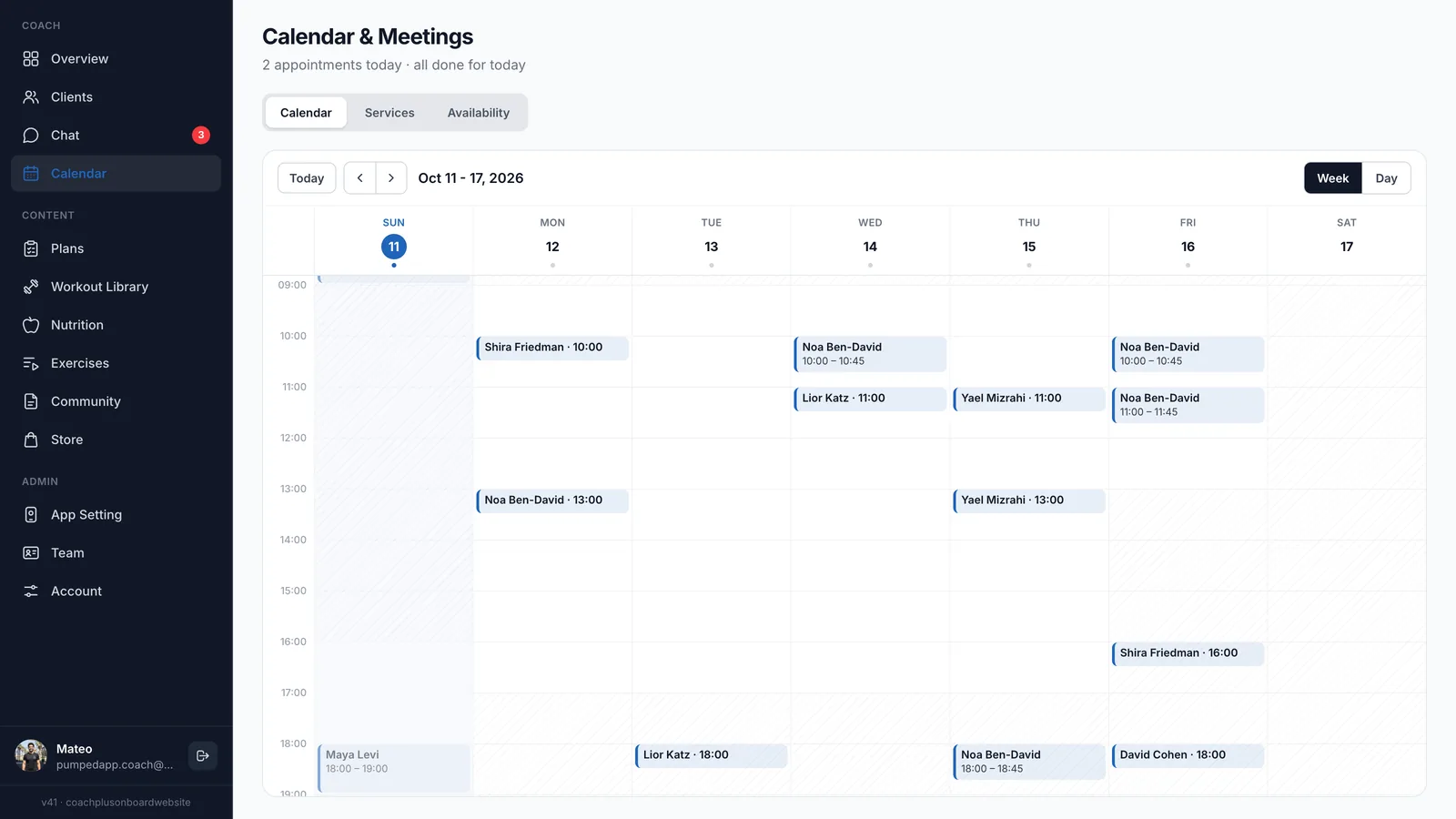
A personal trainer scheduling app should end the back-and-forth of finding a time that works. In Coach+, you decide what clients can book and when you’re available, and clients pick a slot themselves from the app they already use for their workouts.
Because the calendar sits next to your clients, programs and chat, you don’t need a separate booking tool, a separate login or a link to send around. Sessions, intro calls and check-in meetings all land in one week view.
Can clients book sessions with me on their own?
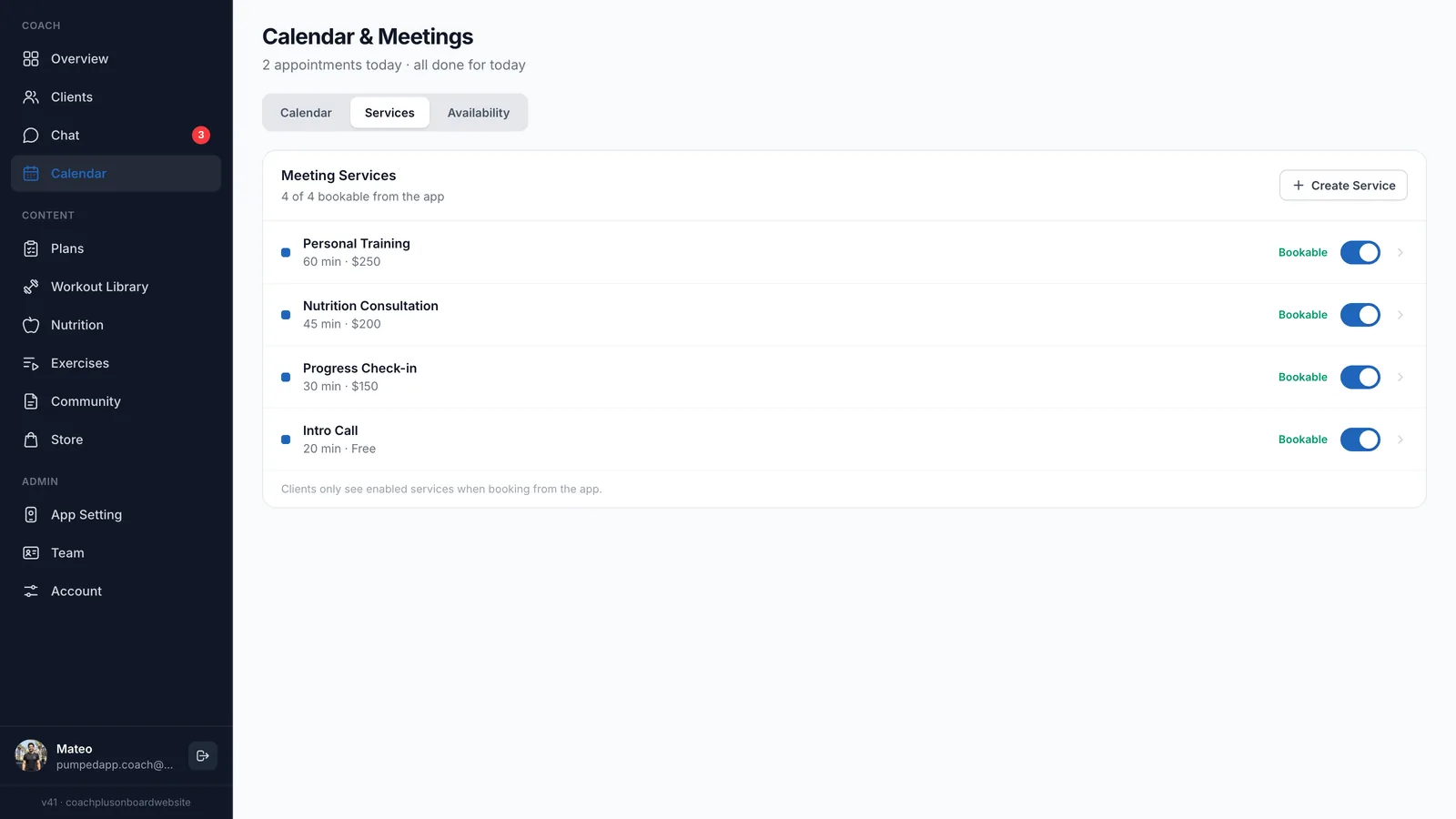
Yes. You create services, switch each one to bookable, and clients book them from your branded app. Clients only see the services you’ve enabled, so a service you’re not offering right now stays hidden without being deleted.
- One line per service. Each service has a name, a duration and a price, for example a 60-minute personal training session or a free 20-minute intro call.
- Bookable on or off. A toggle next to each service controls whether clients can book it from the app.
- Create as many as you need. Personal training, nutrition consultations, progress check-ins and intro calls can each be their own service.
How do I set the hours clients can book?
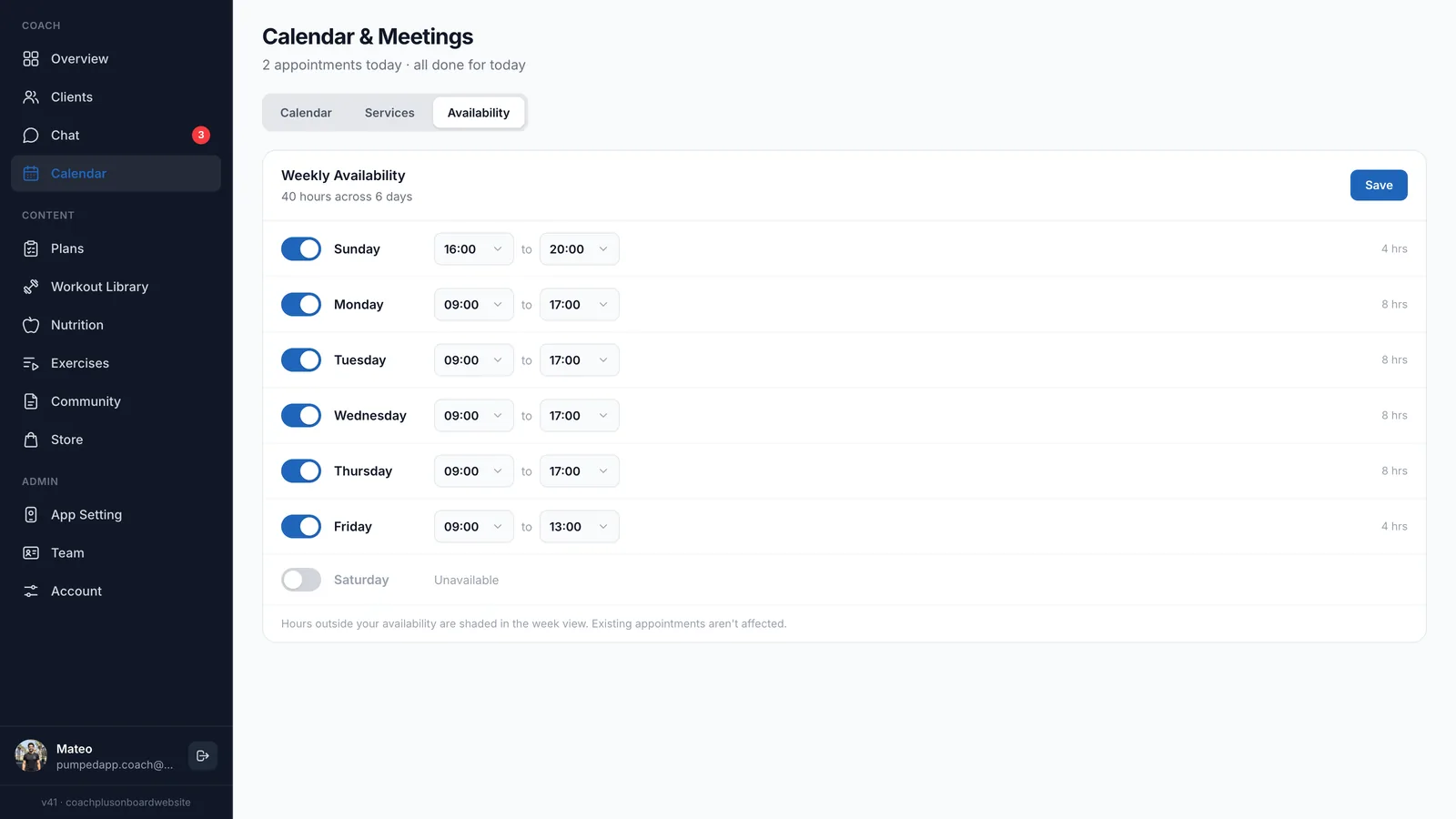
You set weekly availability once: turn each day on or off and pick a start and end time. Coach+ adds up your weekly hours, and anything outside them is shaded in the week view.
Changing your hours later doesn’t move or cancel sessions that are already booked. Evenings on one day, mornings only on another and a day off on the weekend are all one toggle or one dropdown away.
What does the calendar look like day to day?
Online booking for personal trainers only helps if the result is easy to read. You get a week view and a day view of every session, labeled with the client’s name and time, plus a line at the top telling you how many appointments you have today.
- Week and day views with Today and previous/next buttons
- Sessions labeled by client name and time
- Hours outside your availability shaded
- Google Calendar sync, so sessions sit next to the rest of your schedule
What do clients see in the app?
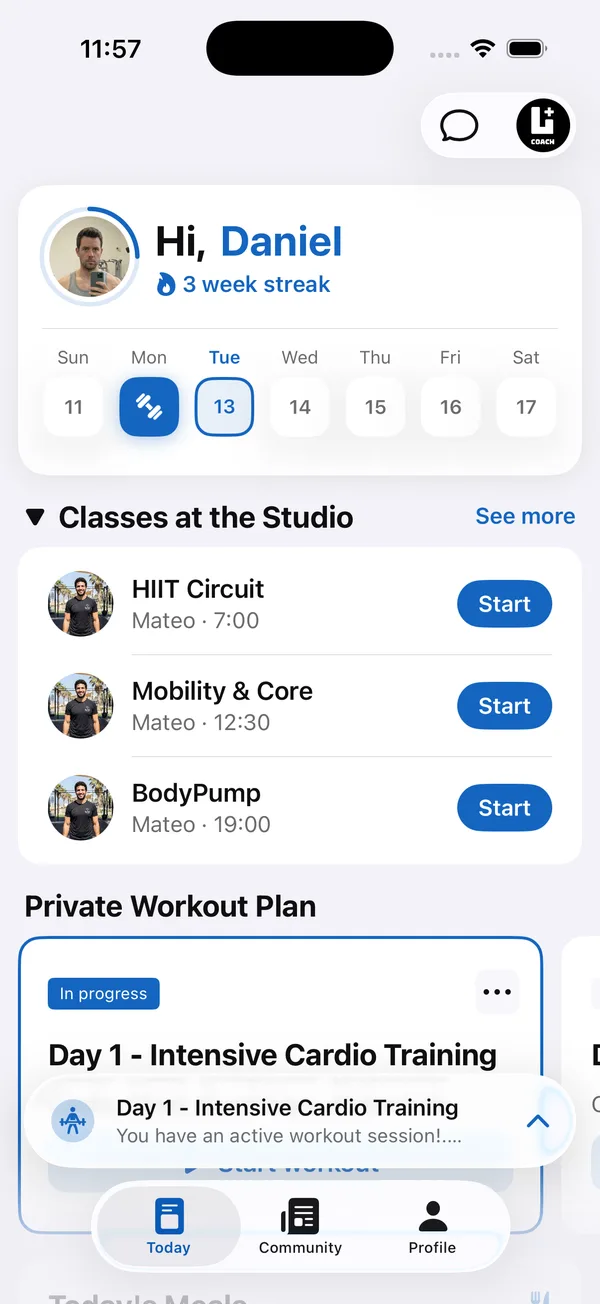
Clients open your branded app to a Today screen with the week at the top, studio classes with a Start button, and their private workout plan. Booking sits in the same app, so clients book a session where they already log workouts, follow their meal plan and message you.
That is the main difference between a personal trainer scheduling app built into your coaching tools and a standalone booking tool: the Coach+ coaching platform keeps scheduling, training and messaging in one place for you and for your clients.
How to get started
- 1
Sign up free
Start a 30-day free trial, no credit card needed.
- 2
Set your branding
Add your logo, colors and app name so clients book inside your app, not a generic one.
- 3
Create services and hours
Add the sessions you offer, switch them to bookable and set your weekly availability.
- 4
Add clients
Invite clients to the app and assign their programs and meal plans.
- 5
Let clients book
Clients book open times from the app and each session appears in your week view.
If you’re still setting up how you manage clients overall, the guide on personal trainer client management covers profiles, programs and check-ins.
Frequently asked questions
Which plan includes the personal trainer scheduling app?
Calendar and client self-booking are included in the Growth plan ($89 a month, up to 45 clients) and the Ultimate plan ($199 a month, up to 150 clients). Paying yearly saves 10%.
Is there a free trial?
Yes. Every plan starts with a 30-day free trial, and you don’t need a credit card to sign up.
Does it sync with Google Calendar?
Yes. The Coach+ calendar syncs with Google Calendar, so booked sessions sit alongside the rest of your schedule.
Can I change my hours after clients have booked?
Yes. You can edit your weekly availability any time, and sessions that are already booked aren’t affected.
Does the booking work in Hebrew?
Yes. The dashboard and client app work in English and in Hebrew with full right-to-left layout.
For coaches
Let clients book their own sessions
Start your 30-day free trial, set your services and hours, and take the first booking from your own app this week.

For your clients
Their own app, with your brand
Clients open today’s workout, log every set, follow their meal plan and check in. Everything lands on your dashboard.
Online coaching platform for personal trainers