Nutrition Tracking App for Clients, Built Around Your Meal Plan
Coach+ gives clients a nutrition tracking app inside the coach’s branded app. Clients see today’s meals from the coach’s meal plan, check off what they ate, swap between meal options and add food by typing it to the AI or searching. Calories, protein, carbs and fat fill against the coach’s targets.
Build My Coaching App30-day free trial · No credit card
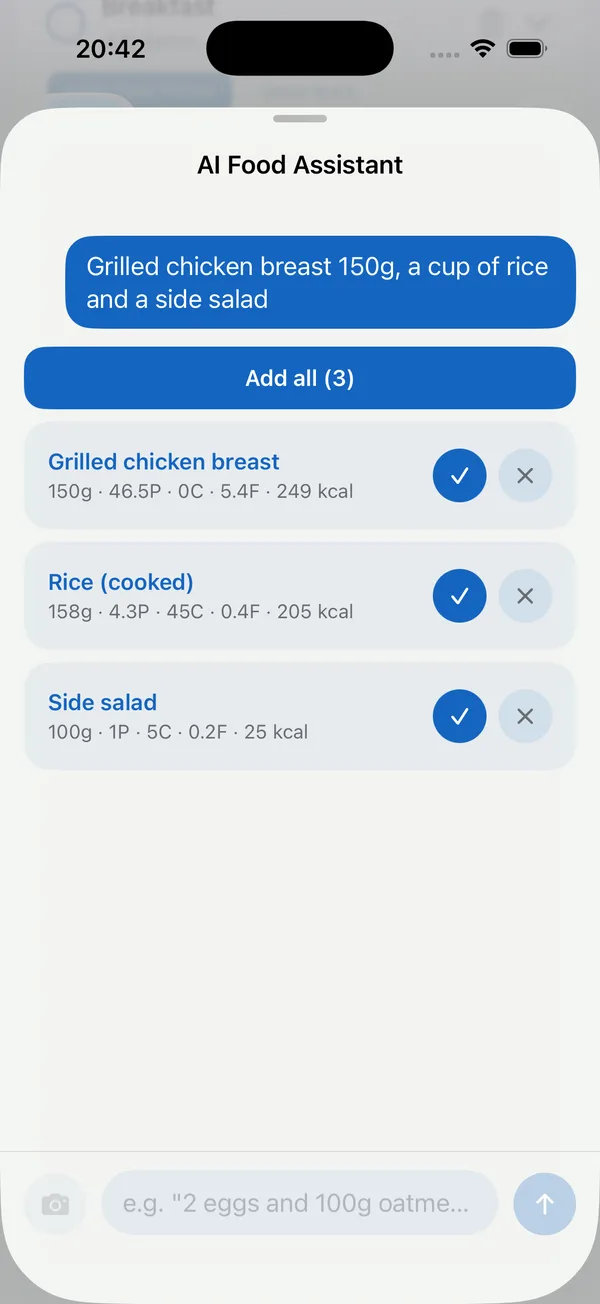
A nutrition tracking app for clients works best when it starts from your plan, not a blank diary. In Coach+, clients open your branded app and see today’s meals from the meal plan you built, with their calorie and macro targets on top.
They tick off what they ate, and anything extra takes seconds to log with AI. No second app, no screenshots of another tracker.
What do clients see when they open their meals?
Today’s meals from your meal plan, each with its foods and amounts, and a progress card for calories, protein, carbs and fat against the targets you set. Clients check off each food as they eat it, and the bars fill up.
If you gave a meal more than one option, clients switch between them in a tap, so breakfast can be oats and whey one day and eggs and toast the next without breaking the plan.
How does AI food logging work?
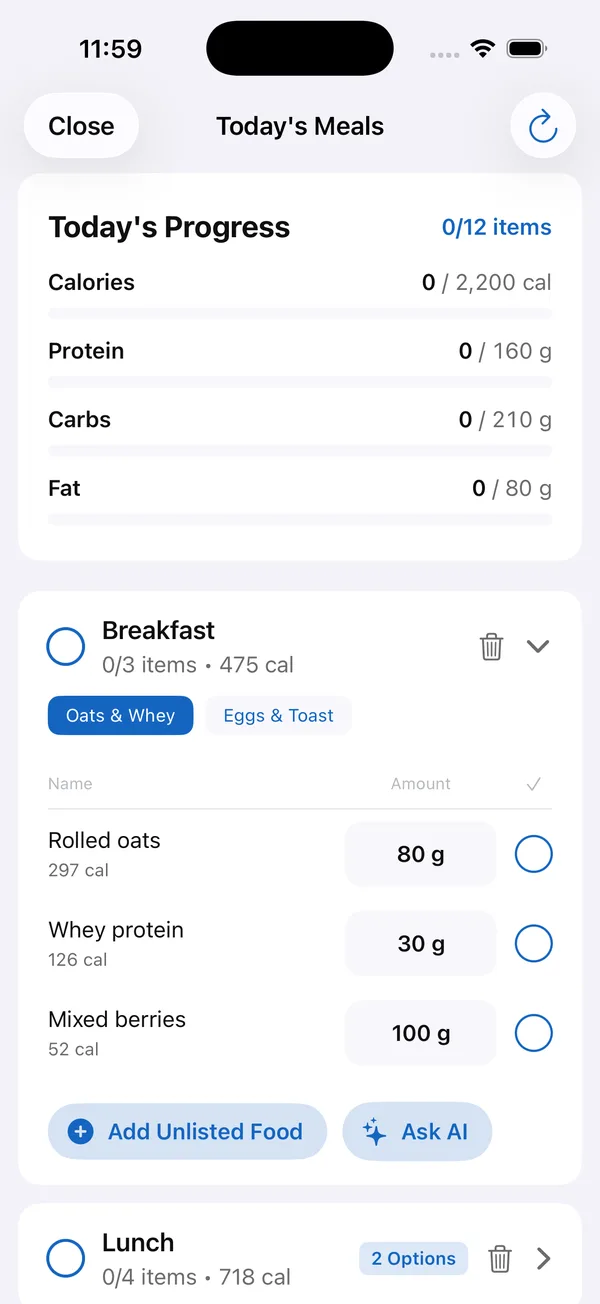
Clients tap Ask AI and type what they ate, like “grilled chicken breast 150g, a cup of rice and a side salad”, or snap a photo of the meal. The AI returns each food with grams, protein, carbs, fat and calories, drawing on 50,000+ food items. Add all logs everything at once, or clients remove what doesn’t fit.
That makes it a food logging app for coaching clients that doesn’t feel like homework, which is what keeps people logging past week two.
Can clients log food that isn’t in the plan?
Yes. Clients add food by typing it to the AI, by photo, by searching the food database or by barcode scanning, and Add Unlisted Food covers anything else. Every item counts toward the day’s calories and macros, so macro tracking for clients stays accurate on the days they go off plan.
Where do the targets come from?
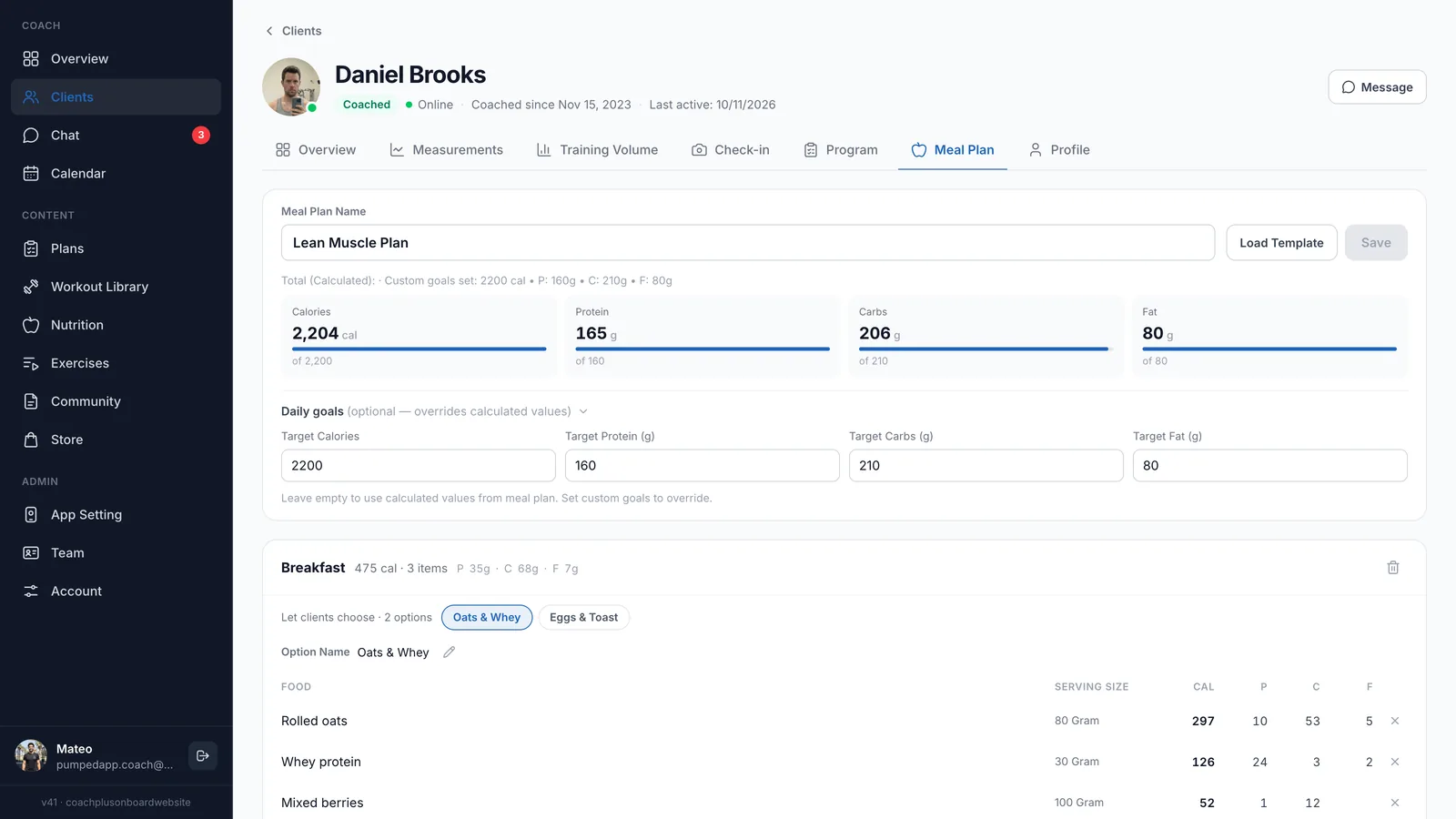
From you. In the client’s Meal Plan tab in the dashboard, you build the plan meal by meal, see the calculated calories, protein, carbs and fat, and set daily goals that override the calculated values. You can also offer clients a choice of options for a meal.
The same tab is where you see the client’s meal plan and their logging. It sits next to the nutrition builder and the AI that drafts meal plans, so a new plan can start from a template or an AI draft and you edit it before it reaches the client.
What foods can I put in the plan?
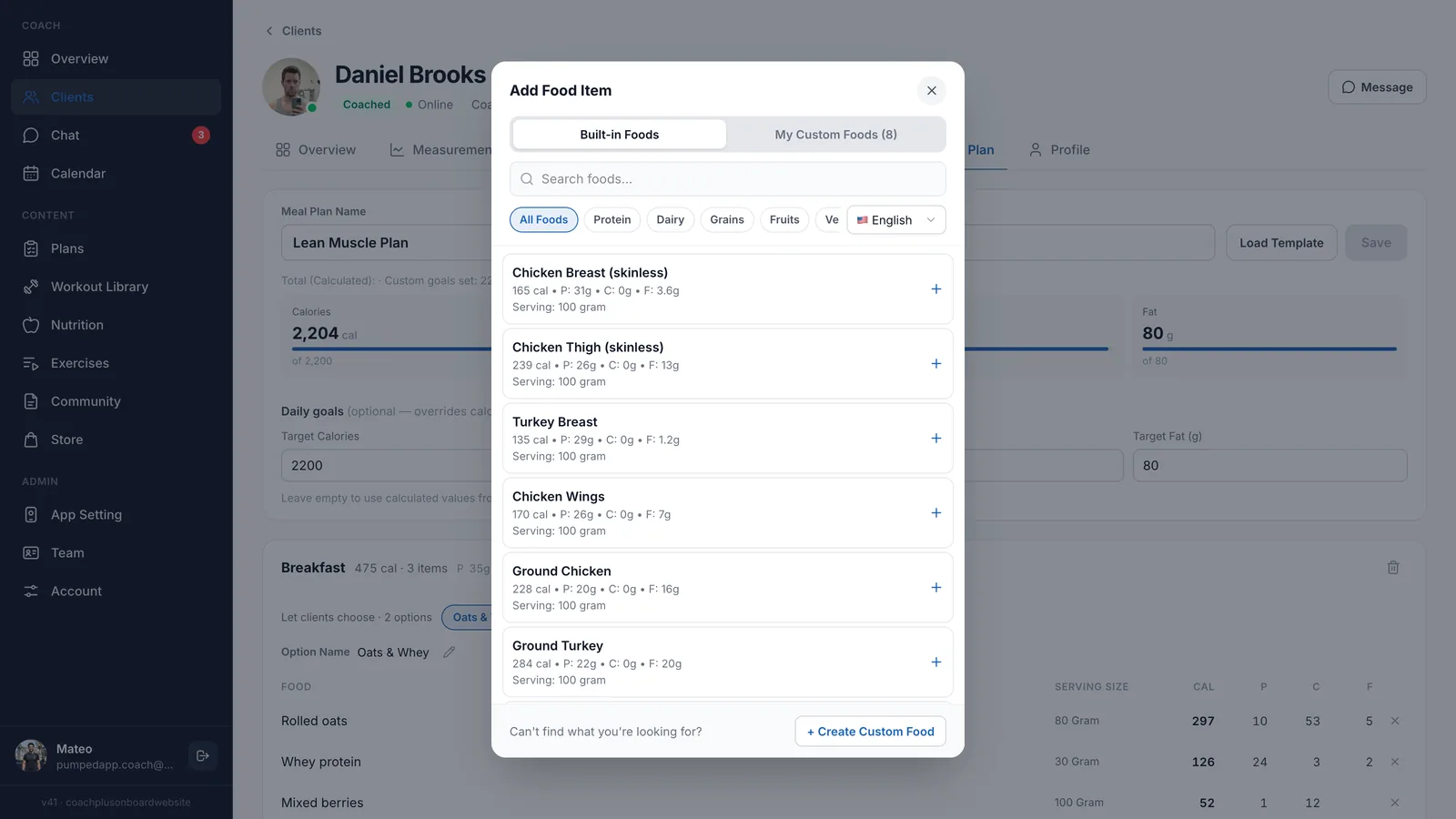
When you add a food to a meal, you search the built-in foods, filter by category like protein, dairy, grains or fruits, or switch to your own custom foods. If something is missing, Create Custom Food adds it with your own values.
How to get started
- 1
Start your free trial
Sign up for Coach+ with no credit card. The trial runs for 30 days.
- 2
Set your branding
Upload your logo, choose your colors and name your app.
- 3
Add your clients
They get your app with their meals, workouts and the community feed in one place.
- 4
Build and assign a meal plan
Set the targets, add meals and options, and assign it. Clients start tracking from the next meal.
Frequently asked questions
Which Coach+ plan includes nutrition tracking?
Nutrition and meal planning are part of the Growth plan ($89 a month, up to 45 clients) and the Ultimate plan ($199 a month, up to 150 clients). Paying yearly saves 10%.
Is there a free trial?
Yes. Every new account gets a 30-day free trial, and no credit card is required.
Do clients need a separate calorie tracking app?
No. Tracking happens inside your branded app, next to their workouts, against the targets you set.
What if a client eats something that isn’t on the plan?
They log it with Ask AI, by searching the food database or with Add Unlisted Food, and it counts toward the day’s calories and macros.
Does it work in Hebrew?
Yes. The dashboard and the client app work in English and Hebrew, with a right-to-left layout.
For coaches
Give clients a nutrition tracker that follows your plan
Try this nutrition tracking app for clients free for 30 days, no credit card, and see what your clients actually eat.

For your clients
Their own app, with your brand
Clients open today’s workout, log every set, follow their meal plan and check in. Everything lands on your dashboard.
Online coaching platform for personal trainers