Your client app
For your clientsClients log workouts, follow their meal plan and cheer each other on, in an app with your name, logo and colors.
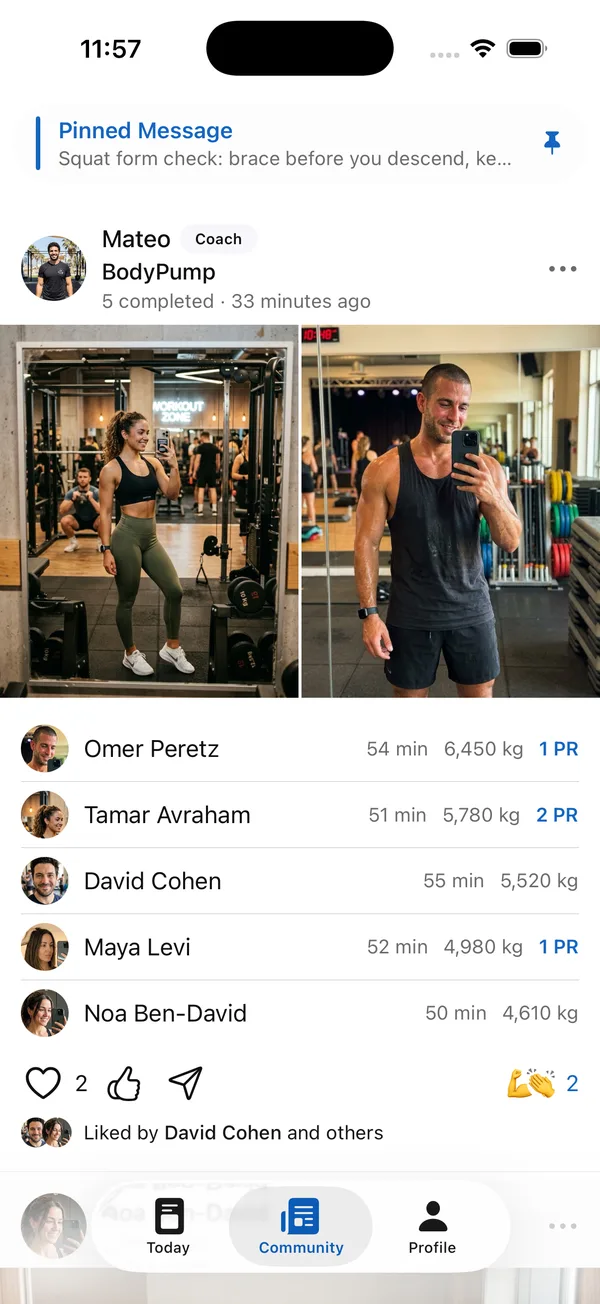

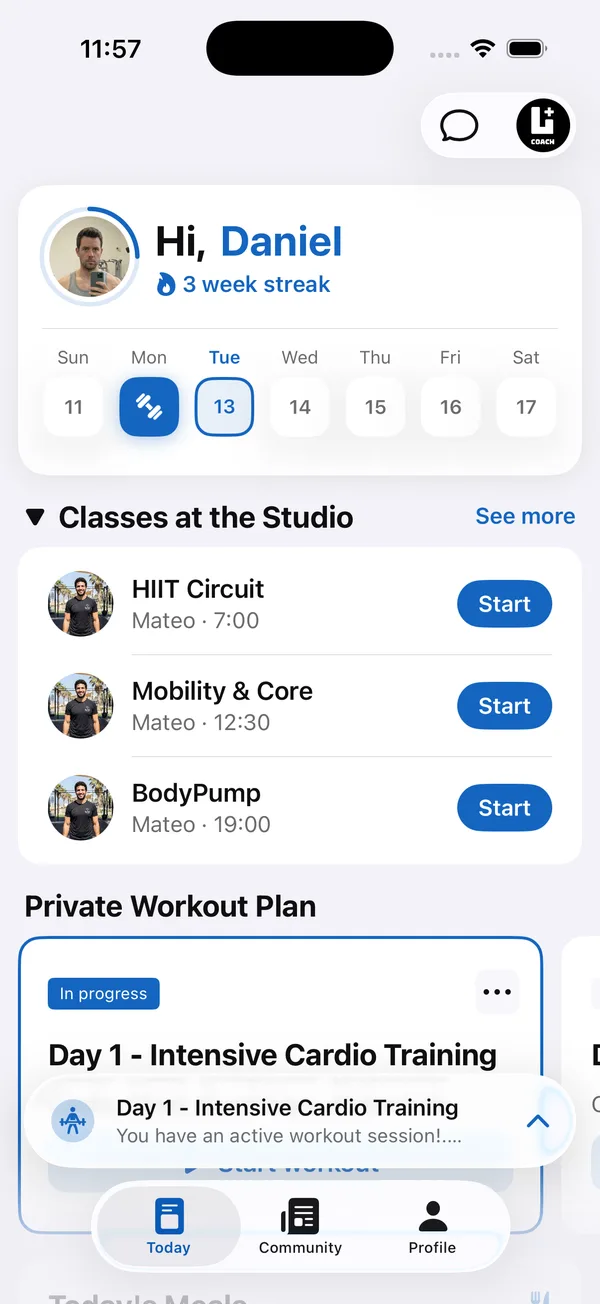
Branded web app on every plan · Your own App Store and Google Play apps on Ultimate
With Coach+, clients follow the plan you built straight from their Apple Watch. They open today’s workout, log the weight and reps of every set, rest with a timer that shows the next set, and see live heart rate, calories and workout time. When they finish, the workout is saved to their account and you see it.
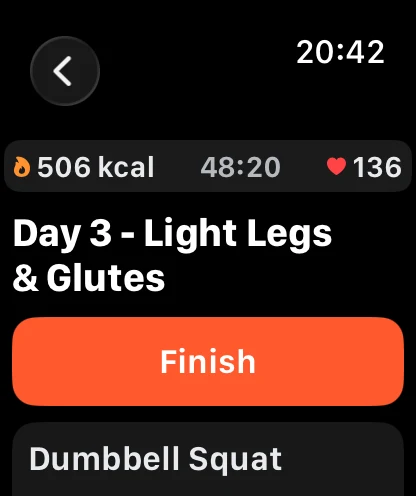
An Apple Watch workout app lets clients train without holding their phone. In Coach+, the watch app is part of the client’s iPhone app, so the program you build on the web dashboard shows up on their wrist with no extra setup and no separate login on the watch.
Clients see the exercises in your order, log each set as they go and leave the phone in the locker. Everything they log on the watch goes into the same workout history you already follow.
Each exercise opens on its current set, for example Set 3 of 3, with the weight and reps from your plan already filled in. The client adjusts them if needed and taps the check button to complete the set. Arrows move back and forth between sets.
Sets can be logged by weight and reps, by time, by distance in km or by steps, so the same app works for strength days and cardio days.
Weight and reps for each set, pre-filled from the plan.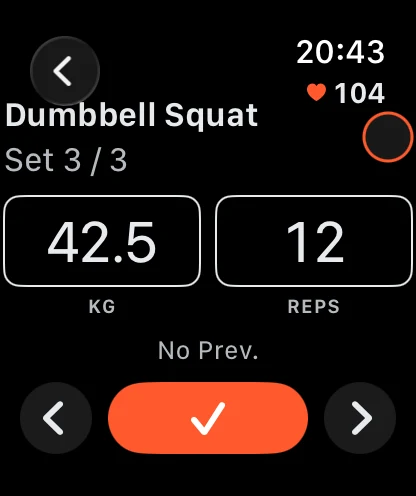
Yes. Tapping the weight or reps opens a large number pad that fills the watch face, with a decimal point for weights like 42.5 kg and a delete key. One tap on OK and the client is back on the set.
A full-screen number pad for weights and reps.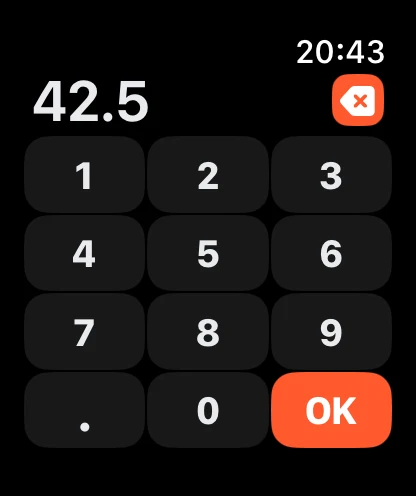
Yes. After a set the rest timer starts on its own, using the rest time you set for that exercise. It counts down in large numbers, shows which set comes next, and lets the client add or remove 15 seconds or skip the rest.
Rest countdown with the next set and ±15 seconds.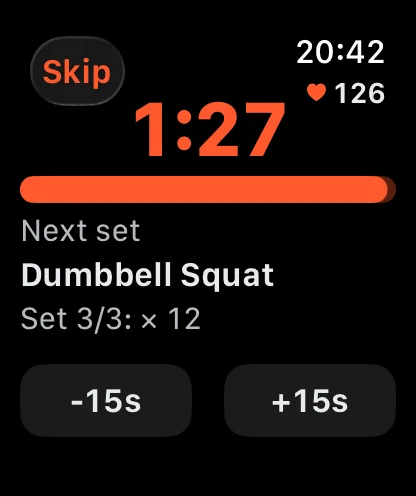
Yes. When a workout starts, the watch runs it as an Apple Health workout, so clients see live heart rate, active calories and total workout time at the top of the screen while they train.
That gives you more than sets and reps: you can see how hard a session really was when you review it and plan the next week.
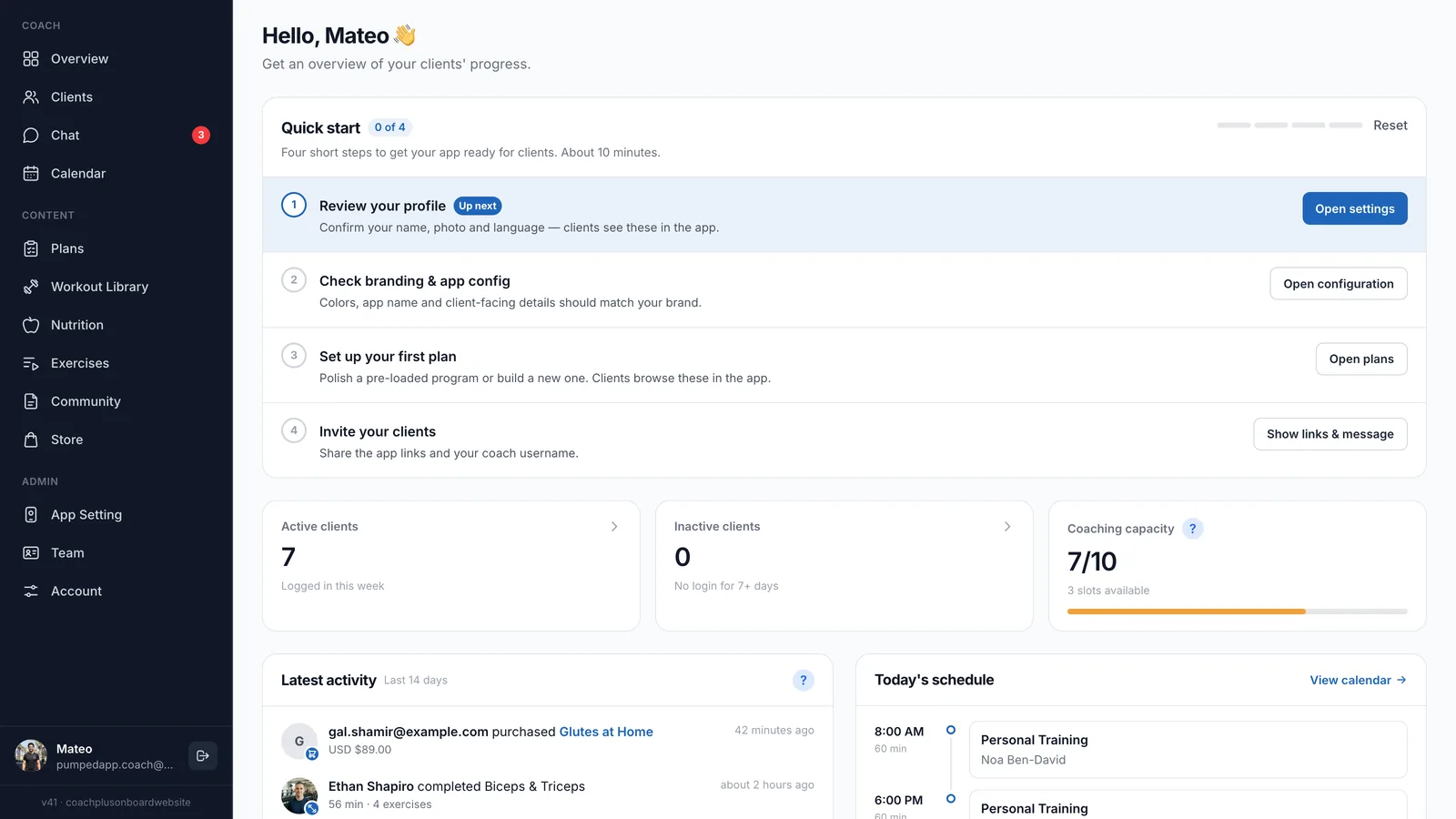
Yes. When the client taps Finish, the workout is saved to their account like any workout logged on the phone. It appears in your coach dashboard and coach app, where you can review it, compare it with earlier sessions and let the AI workout analyzer suggest the next change.
Sign up for Coach+ with no credit card. The trial runs for 30 days.
Build a training plan in the dashboard, or let the AI assistant draft one for you to review, then assign it.
The watch app comes with it. Clients who are signed in on the iPhone are signed in on the watch too.
They open today’s workout on the watch, log their sets and tap Finish. You see the workout in your dashboard.
The watch app comes with the native iPhone app for clients, which is part of the Ultimate plan at $199 a month for up to 150 clients. You can try it free for 30 days with no credit card.
Not yet. The watch app is for Apple Watch. Clients on Android log their workouts in the phone app.
No. Once a client is signed in to the iPhone app, the watch app picks up the account and shows their plan.
Yes. Sets can be logged by time, distance or steps as well as by weight and reps, and the watch shows live heart rate and calories throughout.
Yes. Like the rest of Coach+, the watch app works in English and Hebrew.
Clients log workouts, follow their meal plan and cheer each other on, in an app with your name, logo and colors.
Branded web app on every plan · Your own App Store and Google Play apps on Ultimate
Build programs and meal plans with AI, assign them and track every client from your dashboard and your coach app for iPhone and Android.